

neurodivrgent
Inspiring
June 25, 2024

Meta Quest build v66 release notes
These features and enhancements have already become available starting the week of June 3, 2024 and were pushed to Meta Quest 3, Meta Quest Pro and Meta Quest 2 headsets. Please note that you can find the most up to date release notes on our release notes article and you can check out our v66 blog as well for more details.


Meta button on wrist

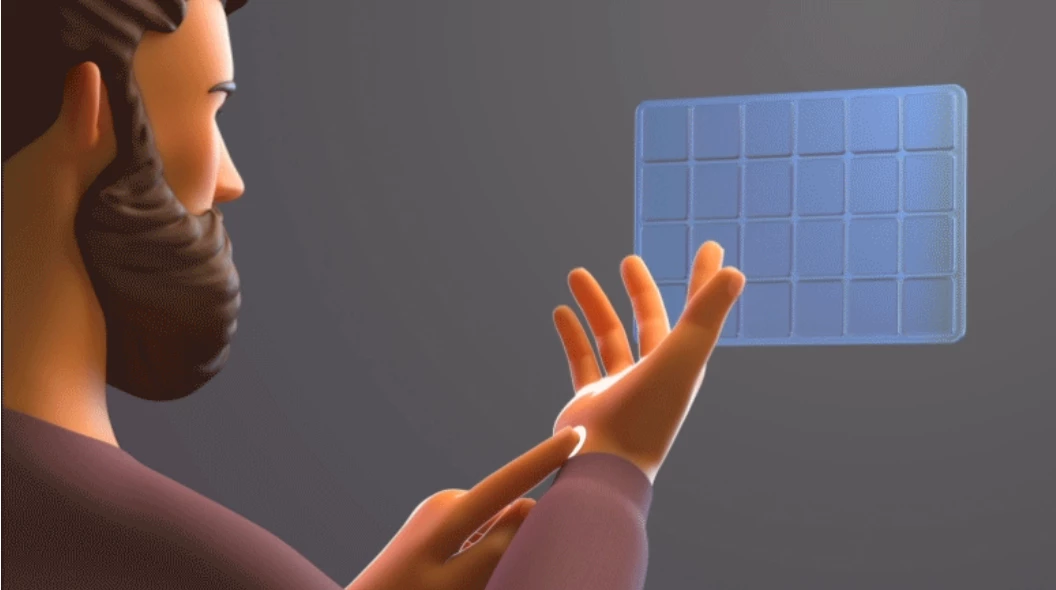
When using hands, you can now add a Meta button to your wrist to easily open the universal menu by tapping it or recenter your view by holding it down. You can also use the Menu button on your other wrist to bring up the current experience’s in-app menu. You can try out this feature by enabling it from Experimental in Settings.


Background audio and media controls

You’ll now be able to launch a music app and listen to music while playing games or using other apps. When background audio is playing, you’ll see a new media control bar under the universal menu to control music playback. Press / on your right Touch controller to bring up the universal menu and media control bar.


Family Center updates

Teens and children supervised by the same parent or guardian will automatically be able to see each other in Family Center.


Improved passthrough and mixed reality interactions (Quest 3 only)

It’s now more natural to interact in mixed reality on Quest 3 with significantly reduced passthrough distortions and improved hand alignment.


Hide apps in Library

You can now hide any app (installed or uninstalled) you’ve downloaded from the Meta Quest Store to help clean up your Library. You can see apps you’ve hidden by selecting Hidden from the dropdown menu in the top right.


Space Setup automatically captures furniture

Space Setup will now automatically identify and mark furniture in your space to improve realism for MR games and apps. For now, this will work for windows, doors, tables, couches, storage, screens, and beds, with additional furniture types supported over time.

Sleep mode added to power off menu

When you press and hold the power button on your headset, you’ll now see an option to put your headset to sleep. Putting your headset to sleep and leaving it plugged in allows your headset and apps to update in the background, keeps your battery charged, and significantly reduces the amount of time it takes for your headset to turn on.


31 replies

eportov
Inspiring
June 28, 2024

I being wishing for this feature to work and be implemented for many releases of Horizon OS. I am on V66 on a Quest 2, and according to the release Notes, this version should have this feature working by clicking the three dot menu of the App you wanna hide and hide it. To restore: there should be a filter to display your hidden apps, and from there, do the same to unhide them.

Sadly, this is not showing, in my case and as far as I know, my quest is on v66 (public) and with the latest update by restarting the device.

What is wrong, Meta? is this feature rollout or is just an other promise, delayed?

Honored Contributor
June 28, 2024

I got a 2nd v66 (non-beta) update yesterday for both my Q3 and QPro ( now version v66.0.0.817.370).  All seems to be working fine with standalone and PCVR with Link and Air Link.  Nice to see the Hide option for uninstalled apps.

i9 13900K water cooled, RTX4090, Z790 MB w/wifi6e, 64Gb 6400 ram, 2x2TB SSD, 1000W PSU, Win 11, QPro, Q3, w/Link and Air Link, Vive Pro1 with 2x2.0 base stations, Etsy lens mod and Index Controllers
Participant
June 28, 2024

Also got this update over night for my Q3 (66.0.0.817.370).
This changes my vote...

Pros:

  • wrist buttons could be activated per experimental features
  • automatic furniture capturing works great
  • reduction in passthrough distortion
  • hide apps in library - finally

Cons:

  • no standby option in power off menu

That's a fine, not as good as expected, improvemnt to passthrough.
But handtracking was also improved and it's much more responsible as before.
The wrist buttons also make sense in combination with the gestures to open/close the menubar.

I'm very satisfied and as TomCgcmfc said, everything else works, as it should.

Inspiring
July 5, 2024

I do not see the menu for 'hidden' apps in the the top right of the app icon and I do not see an Item of hidden apps in the menu type of library?

Honored Contributor
July 5, 2024

ian.sloman  Maybe check your current v66 Version number.  Mine is  v66.0.0.817.370 and the Hide app function is working perfectly.  Try fully powering down (not sleep/standby) and select the option to check for updates prior to powerdown.

i9 13900K water cooled, RTX4090, Z790 MB w/wifi6e, 64Gb 6400 ram, 2x2TB SSD, 1000W PSU, Win 11, QPro, Q3, w/Link and Air Link, Vive Pro1 with 2x2.0 base stations, Etsy lens mod and Index Controllers
Inspiring
July 5, 2024

Thanks Tom,

 
Thanks for your reply.  
My V66 Version number matches yours.  
My problem might that I don’t know how to hide an app.  Somewhere I heard that you have to click in the upper-right corner.  But the upper-right corner of what?  Could you please send me an image-capture shot of what I am supposed to do?  Thanks.
Honored Contributor
July 5, 2024

ian.sloman All pretty easy to do.  Just select apps and then hover over an app’s upper right corner.  You’ll see 3x dots,  Click on that and you should get a few options, including Hide.  Afterwards you should see options in your Apps panel that includes Hidden apps.  Hope this helps mate.

i9 13900K water cooled, RTX4090, Z790 MB w/wifi6e, 64Gb 6400 ram, 2x2TB SSD, 1000W PSU, Win 11, QPro, Q3, w/Link and Air Link, Vive Pro1 with 2x2.0 base stations, Etsy lens mod and Index Controllers
Inspiring
July 5, 2024

Thanks for your reply.  The only options that I see, when I click on the 3 horizontal dots are: See details; Lock; and Pin to Universal menu.  Does this mean that I am missing part of V66?

Inspiring
July 5, 2024

I have also just checked hand tracking and it doesn't seem to work either.  Its there a way that I can force a download and reinstall V66?


Inspiring
July 5, 2024

Do I have to do a Factory Reset to force the Quest 3 to reload v66?