
Up and Coming
March 30, 2013

Image Effects

Is anyone else getting weird graphical errors when they use image effects? I am trying to use global fog and sunshafts image effects but something with the oculus plugin does this.
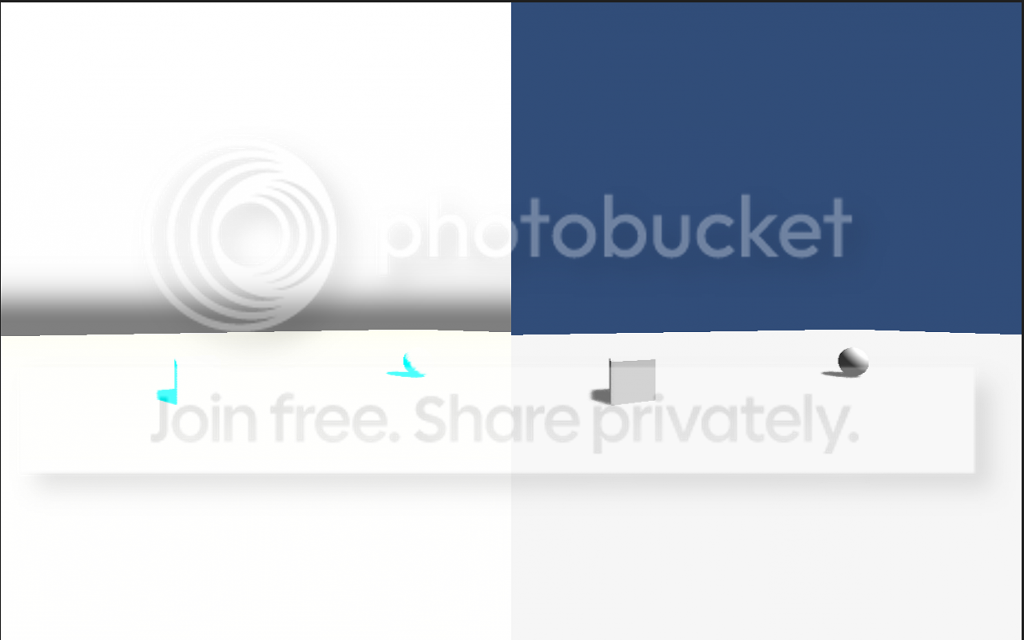
The left camera has the 2 image effects in place and it leads to this.

Am I missing something or does the oculus rift image effect break the others and are there work arounds?
    This topic has been closed for replies.

    11 replies

    Up and Coming
    March 30, 2013
    Effects which rely on the camera matrix may do some strange things. I've found deferred lighting is totally f'ed at the moment. Some questions for you:

    1. Are you using fog in render settings, or the fog image effect?
    2. Are you applying the oculus warp image effect last? (if not, this might help)
    judah4Author
    Up and Coming
    March 30, 2013
    the global fog image effect.

    It seems the OVRCamera script is changing it because I added it last and it looks normal now. Thanks :D Now im going to try it on a scene with more on it
    Up and Coming
    March 30, 2013
    Also, a little fun tip: If you're using deferred + DX11, try out the camera motion blur. Its like anti-aliasing, but a bit better actually. Little 'spensive tho.
    Up and Coming
    March 30, 2013
    I've had one camera turn white like this before, fixed it by scaling the window and it never happened in fullscreen.
    CCP Games, EVE: Valkyrie developer | @SiggiGG
    Inspiring
    April 3, 2013
    Hey, we are aware of the issue when chaining full screen image effect together. It will be fixed in an upcoming release. For now you can edit this line in OVRCamera.cs on line 231:

    Blit(SourceTexture, destination, material, flipImage);

    Hope that helps.

    - Andres
    AMD Ryzen 7 1800X | MSI X370 Titanium | G.Skill 16GB DDR4 3200 | EVGA SuperNOVA 1000 | Corsair Hydro H110i Gigabyte RX Vega 64 x2 | Samsung 960 Evo M.2 500GB | Seagate FireCuda SSHD 2TB | Phanteks ENTHOO EVOLV
    judah4Author
    Up and Coming
    April 3, 2013
    yes, I found it and was able to get it to work for now :D


    Of course I need to redesign the gui but integration is not bad
    Inspiring
    April 3, 2013
    Awesome!
    AMD Ryzen 7 1800X | MSI X370 Titanium | G.Skill 16GB DDR4 3200 | EVGA SuperNOVA 1000 | Corsair Hydro H110i Gigabyte RX Vega 64 x2 | Samsung 960 Evo M.2 500GB | Seagate FireCuda SSHD 2TB | Phanteks ENTHOO EVOLV
    April 12, 2013
    Thank goodness I checked this. Image effects work for me again. Will make my projects look much better.
    Up and Coming
    July 9, 2013
    Hey, so image effects work for me, SSAO/Antialiasing/DepthofField34, etc. The only way it works properly is that I have to set these shaders to render before the Rift shaders are activated. Sadly, I can only move their rendering position before during runtime in-editor and cannot set it in the level itself, else when I run the game, it kicks the shaders to the end of the line and acts wonky. Does anyone know how I can set it in the right position for each camera without manually pushing it in front of the line?

    I must say, using Image Effects does wonders visually! I even added a subtle depth of field effect that only shows when you are really close to an object.
    -Stuart Bradley Newsom HS-51XXXXX Mar 21, 2014 01:09 AM PDT DELIVERED Portfolio: http://sbnewsom.com Facebook: Click Here
    Inspiring
    July 9, 2013
    "sbnewsom" wrote:
    Does anyone know how I can set it in the right position for each camera without manually pushing it in front of the line?


    With the 0.2.2 integration (and earlier), this issue was confirmed as a known issue by Oculus. I had success with this by having a pair of OVRCameraControllers, with the first one (camera depths 0 and 1) all set up with your image effects, but doing no lens correction, no chromatic aberration correction, etc. Then, on the 2nd OVRCameraController (camera depths 2 and 3), have it set to not clear the render buffer and to render nothing at all (by setting the clear flags, culling mask, and tight near/far planes) except to simply apply lens correction and chromatic aberration correction. The image effect reordering only occurred on each individual camera so by breaking it down this way I was able to get some image effects working fine.

    But, I haven't tried image effects with the 0.2.3 integration yet, and I do see a bunch of new integration code in there related to rendering (including the line of code that cybereality mentioned above) that may or may not address it. Are you having this issue with the 0.2.3 integration?
    Titans of Space PLUS for Quest is now available on DrashVR.com