

neurodivrgent
Inspiring
April 30, 2024

Meta Quest build v65 release notes
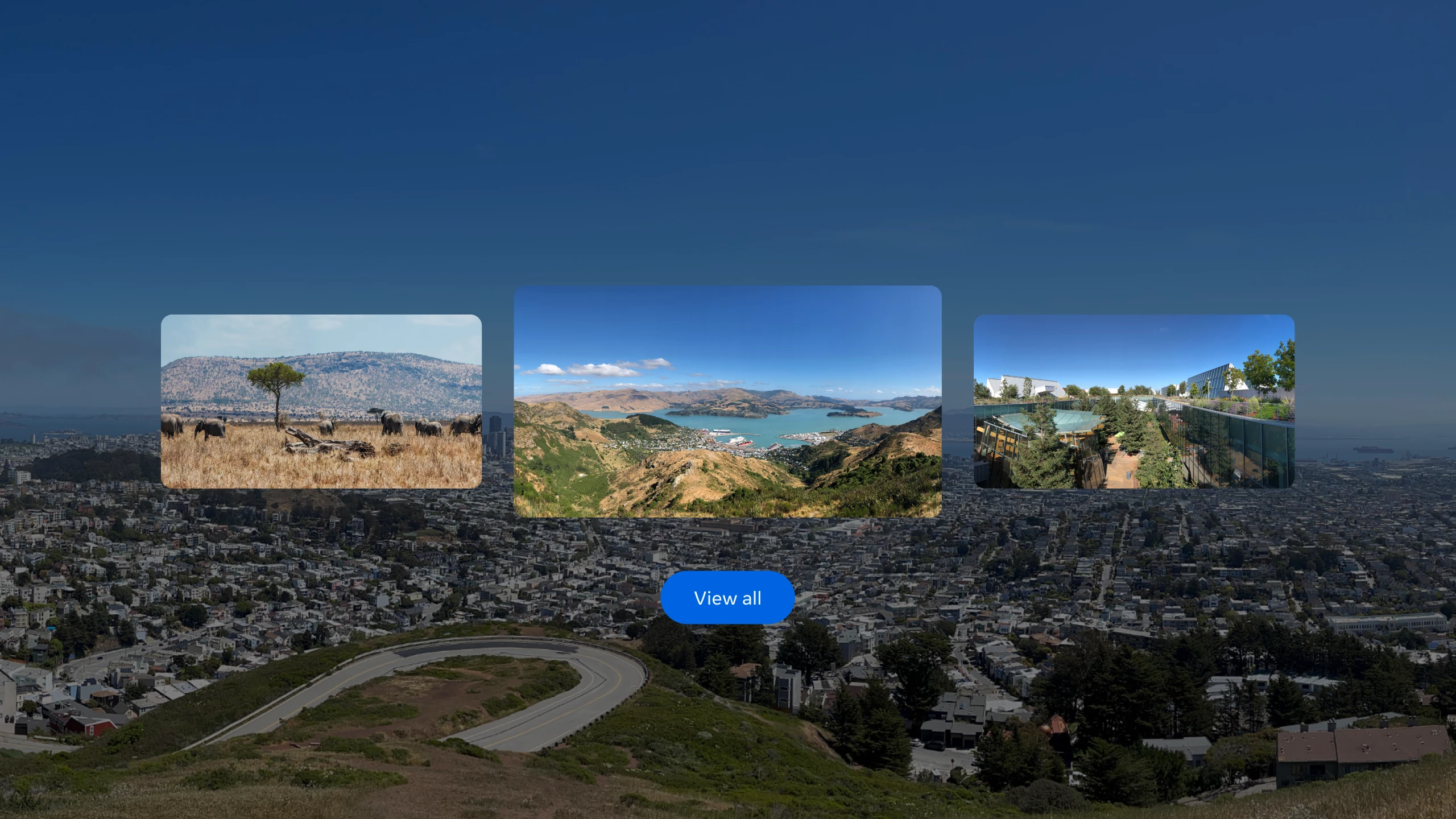
These features and enhancements will become available starting the week of April 30, 2024 and will be pushed to Meta Quest 3, Meta Quest Pro and Meta Quest 2 headsets. Please note that you can find the most up to date release notes on our release notes article and you can check out our v65 blog as well for more details.


Panoramic photos and spatial video

If you have an iPhone on iOS 17 and later, you can now upload panoramic photos or spatial video to your Quest headset using the Meta Quest mobile app.


Passthrough improvements

You’ll now see your passthrough environment instead of the default gray background for some system menus and prompts when you’re using passthrough in your Horizon Home.


Mouse and keyboard improvements

When using a physical keyboard or mouse with your headset, you should now see fewer interruptions from hand tracking, including when these devices are connected to your headset via Bluetooth or when using Meta Quest Remote Display.


Local multiplayer and boundary recall with Meta Virtual Positioning System

Local multiplayer allows multiple VR devices to play in the same physical space in a common immersive environment, while improved boundary detection uses Meta server processing to improve the likelihood of recognizing previously established boundaries, reducing the chance that you will be prompted to re-draw your boundary as you move between physical spaces. This enhanced understanding of your immediate physical space is achieved by sending point cloud data from your device to Meta servers for processing. Learn more about Meta Virtual Positioning System and how to enable it from your privacy settings.


Travel mode (Quest 3 and Quest 2 only)

With travel mode on Meta Quest 3 and Quest 2 you can interact, work and play in MR while on an airplane and also access in-flight entertainment.

Once you enable travel mode from Experimental in Settings, you can turn it on or off anytime from the Quick settings panel.

You may also see a message to turn on travel mode if you try to use your headset while on a plane. Learn more about travel mode.

52 replies

pantainn
Participant
May 17, 2024

Worse even, v65 breaks more then it adds on my Quest Pro!

Honored Contributor
May 17, 2024

pantainn  What issues do you have with v65?  I don't seem to have any major issues with either my Q3 or QPro.  Maybe list your issues and in any case, please file bug reports.  Thanks mate.

Moriarti4  I doubt I'd want to use my QPro for travel anyway.  It's a bit too bulky and the controllers would be a pain to keep charged vs the very long life I get with my Q3 controllers (+2 months with AA Duracell).

I'm planning an OS trip soon (with a 14hr flight, lol!) and I'll probably pack my Q3 with stock strap, plus a couple of external battery 10000mahr 30w packs and a couple Duracell AA's.  Hopefully this will make my flight a little more bearable, lol!

i9 13900K water cooled, RTX4090, Z790 MB w/wifi6e, 64Gb 6400 ram, 2x2TB SSD, 1000W PSU, Win 11, QPro, Q3, w/Link and Air Link, Vive Pro1 with 2x2.0 base stations, Etsy lens mod and Index Controllers
New Participant
May 18, 2024

Sorry, but I have noticed something odd since updating to this. It feels as if the image alignment is no longer center, at least in the left side display. This is a new thing as I hadn’t been in my quest for weeks since late March/early April, and this was never an issue until now after updating to this. In games it feels like I’m slightly turned to the right, and if I have the aim reticle turned on, it looks like it’s pulled to the left slightly instead of being dead center in my vision.

pantainn
Participant
May 18, 2024

TomCgcmfc: I've posted my issues here already sunday 12 may, scroll back a little, you'll see. In discord I finally saw more people mentioning the (partial) lack of audio in certain apps as horizon worlds. It's in pro only since v65. Today I've discovered a link with the headphones plug in's. When not using headphones and restarting the pro, all sound issues are gone including home environment background sounds being back...till I use headphones again, then it's gone again. Restarting the headset with no headphones and all is back to normal. Not all apps are affected by this.

New Participant
May 19, 2024

For some reason I am now not able to connect to my pc via meta link or meta air 

MetaStoreHelp
Community Manager
May 19, 2024

Hey there, zainuluk! We definitely want for you to be able to use your headset with a link for PCVR! We can take a look into this if you can reach out over a PM. Please select our name to get to our profile page, or click here. Next, click "Send a Message" to privately message us! Please remember, you must be signed into the community first to send us a private message.

If you're the author of a thread, remember to mark a reply as the Accepted Solution to help others find answers!
NicoEng
Up and Coming
May 19, 2024

I have had the problem of wifi showing connected but games will not start because they cannot connect to their servers. I have found that if I go back to the Oculus menu then disconnect the wifi and immediately re-connect and restarting the game works. Hope this helps.

Honored Contributor
May 21, 2024

Update to v65 a few days ago. Phone notifications finally removed. Still no Lakeside Peak environment. Still no MTP notifications when connecting link cable to PC.

What's New in the Guide is still for v62.

New Participant
May 24, 2024

I have been having trouble with version 65 and secondary accounts.  When I add a secondary account to one of my Quest 3s and install applications, many will not start that are installed on both primary and secondary accounts.  Doesn't seem to matter whether using app sharing or using separate account with purchased apps as secondary.  I have tried factory resetting.

New Participant
May 28, 2024

With the V65 update, I am no longer able to access my DLNA server (Synology NAS). Please solve the connection problems urgently. I am also affected by the connection problems (WIFI - FritzBox router). And now there are also the general problems with DLNA....