

neurodivrgent
Inspiring
July 8, 2024

Meta Quest build v67 release notes
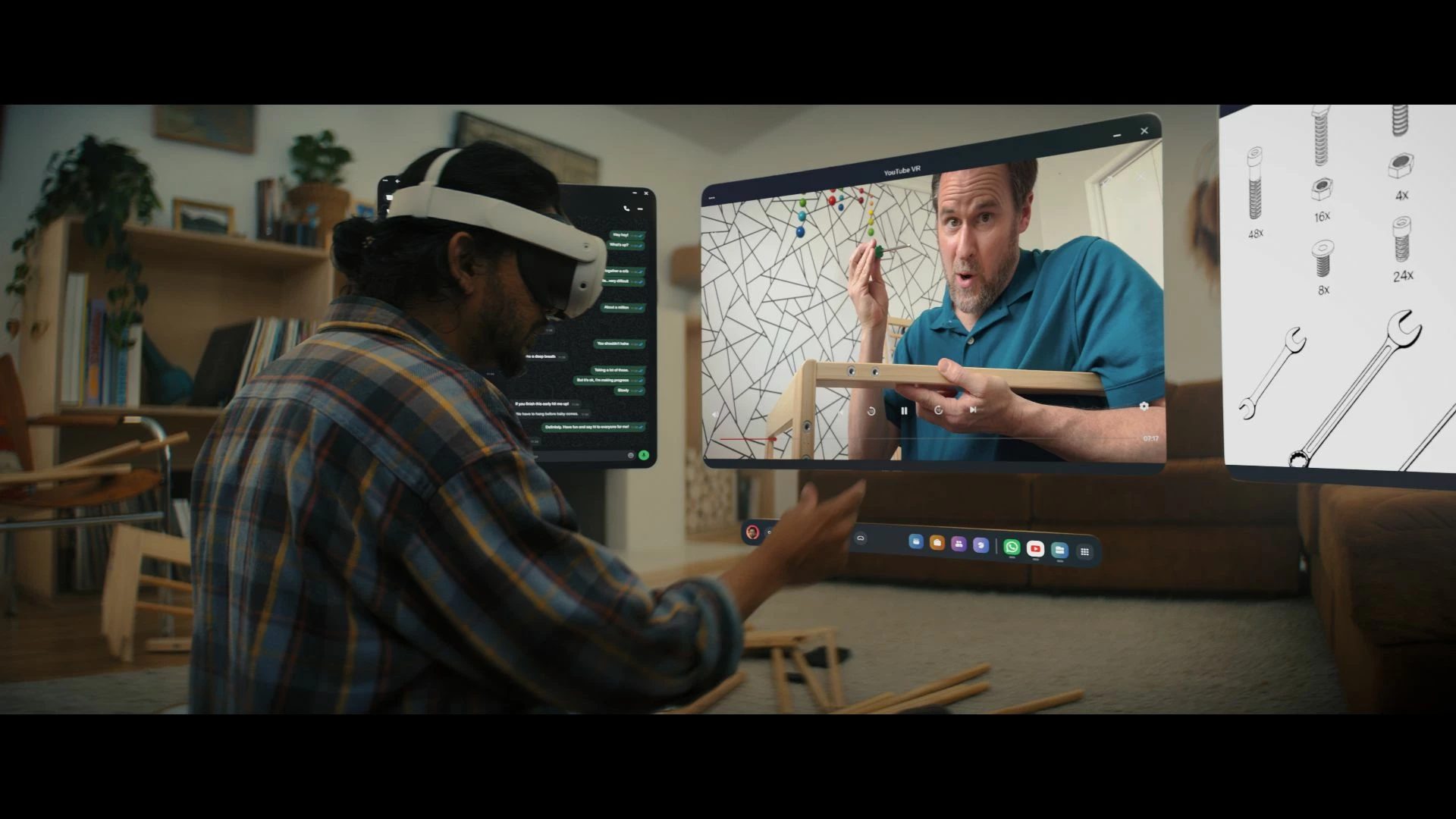
These features and enhancements are becoming available starting this week of July 8, 2024 and are pushed to Meta Quest 3, Meta Quest Pro and Meta Quest 2 headsets. Please note that you can find the most up to date release notes on our release notes article and you can check out our v67 blog as well for more details.

New window layout

 
We’re adding the ability to move windows around when you have multiple apps open in your headset. You can reposition windows anywhere. You can also watch content on a large screen by selecting the theater view on any window’s control bar.

You can find this feature under Experimental in Settings.


Creator content in Horizon Feed


We’re introducing new creator videos to Horizon Feed. You can connect with creators through reactions and sharing and jump into games and experiences directly from content in your Feed. If you are an active creator on other social networks and are interested in participating as a publisher, please let us know in the Meta Quest Community Discord.

  • This feature is rolling out gradually


Swipe Typing


We’ve added the ability to use swipe typing to enter text when using your headset. Cut down on typing by sliding your finger or cursor from letter to letter to spell words. You can turn this feature on by going to Settings, then System, then Keyboard and selecting the toggle next to Swipe Typing.


Eye tracking improvements (Quest Pro only)


We’ve made further improvements to eye tracking on Quest Pro. For the most accurate eye tracking, you can always recalibrate by going to Movement tracking in Settings, then Eye tracking and selecting Calibrate next to Calibrate eye tracking.


Do Not Disturb improvements


We’ve made a number of improvements to the Do Not Disturb setting. You can now select different durations for Do Not Disturb. You can turn this feature on from Quick settings. If you have Do Not Disturb turned on, you can also control this feature from Notifications.


Wi-Fi QR code scanner (Quest 3 only)


You can now scan a Wi-Fi QR code to connect to a valid Wi-Fi network with your Quest 3 headset. To scan a QR code, go to Wi-Fi in Settings and tap Scan QR Code.


Immersive media continuity

You can now open Quest TV or use File Viewer to watch immersive videos without quitting your current immersive app.

78 replies

mariocro
Participant
July 9, 2024

Wow, can't wait. This update will be another big step in improving user UI. Great to see the progress made in such small time frame.

Participant
July 9, 2024

why not scanning QR code for URL's? This would be very useful. 

Honored Contributor
July 10, 2024

I got v67 (non-beta) update earlier today on my Q3 (version 67.0.0.614.356).  All's working very well with standalone and PCVR using Air Link.  Air Link seems to be a bit smoother with my msfs2020 flight sim.  I still haven't gotten v67 on my QPro or meta-link PC app yet.  I'll report back when get this.

i9 13900K water cooled, RTX4090, Z790 MB w/wifi6e, 64Gb 6400 ram, 2x2TB SSD, 1000W PSU, Win 11, QPro, Q3, w/Link and Air Link, Vive Pro1 with 2x2.0 base stations, Etsy lens mod and Index Controllers
Participant
July 10, 2024

Hopefully, it doesn't last weeks again to get this one 😉

Inspiring
July 10, 2024

i'm on v67 and I still cannot hide apps.

Honored Contributor
July 10, 2024

jTiKey  I've had that Hide option since the last v66 update (version v66.0.0.817.370) on my Q2, Q3, and QPro.  I don't know why you don't have this yet???  Maybe try fully powering down with the check for updates toggled on.  Then powerup again.  Sounds like parts of the updates aren't being fully installed and/or you may have a corupt file or two.  I guess you could try a factory reset and see if that helps.  Otherwise, contact meta support I guess.

TBH, the Hide feature is not that big of a deal, for me anyway.  I just choose to only show Installed apps.

i9 13900K water cooled, RTX4090, Z790 MB w/wifi6e, 64Gb 6400 ram, 2x2TB SSD, 1000W PSU, Win 11, QPro, Q3, w/Link and Air Link, Vive Pro1 with 2x2.0 base stations, Etsy lens mod and Index Controllers
NeedForLightSpeed
Up and Coming
July 10, 2024

You complain about wanting privacy for the camera feeds but you add things like QR code scanning ? 

Participant
July 11, 2024

NeedForLightSpeed Only while connecting to a wireless lan... or what's your problem with that feature?
In addition to that - you don't have to use this feature, it's optional.

Honored Contributor
July 12, 2024

Earlier today I got a 2nd Q3 v67 update (v67.0.0.648.356) and 1st QPr0 v67 update (v67.0.0.649.356), plus 1st meta link PC update (v67.0.0.206.355).

This, together with the latest win11 and nvidia updates, continues to work great. Actually, everything looks and performs a tiny bit better now. Cheers.


i9 13900K water cooled, RTX4090, Z790 MB w/wifi6e, 64Gb 6400 ram, 2x2TB SSD, 1000W PSU, Win 11, QPro, Q3, w/Link and Air Link, Vive Pro1 with 2x2.0 base stations, Etsy lens mod and Index Controllers
NeedForLightSpeed
Up and Coming
July 12, 2024

Buetigame I don't have a problem with it. I just wish if Meta is going to add such features, developers could be allowed camera access too.