

neurodivrgent
Inspiring
July 8, 2024

Meta Quest build v67 release notes
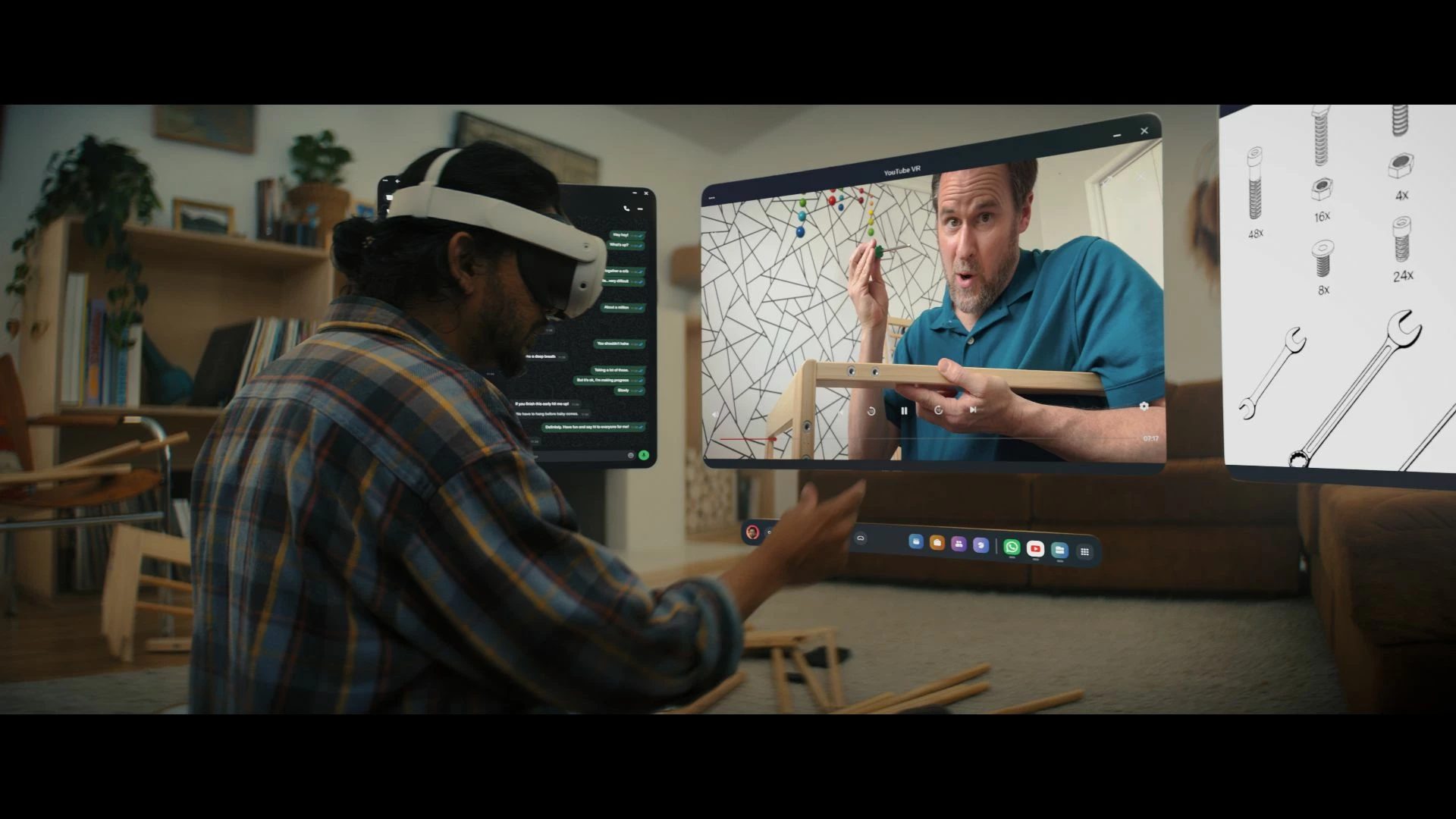
These features and enhancements are becoming available starting this week of July 8, 2024 and are pushed to Meta Quest 3, Meta Quest Pro and Meta Quest 2 headsets. Please note that you can find the most up to date release notes on our release notes article and you can check out our v67 blog as well for more details.

New window layout

 
We’re adding the ability to move windows around when you have multiple apps open in your headset. You can reposition windows anywhere. You can also watch content on a large screen by selecting the theater view on any window’s control bar.

You can find this feature under Experimental in Settings.


Creator content in Horizon Feed


We’re introducing new creator videos to Horizon Feed. You can connect with creators through reactions and sharing and jump into games and experiences directly from content in your Feed. If you are an active creator on other social networks and are interested in participating as a publisher, please let us know in the Meta Quest Community Discord.

  • This feature is rolling out gradually


Swipe Typing


We’ve added the ability to use swipe typing to enter text when using your headset. Cut down on typing by sliding your finger or cursor from letter to letter to spell words. You can turn this feature on by going to Settings, then System, then Keyboard and selecting the toggle next to Swipe Typing.


Eye tracking improvements (Quest Pro only)


We’ve made further improvements to eye tracking on Quest Pro. For the most accurate eye tracking, you can always recalibrate by going to Movement tracking in Settings, then Eye tracking and selecting Calibrate next to Calibrate eye tracking.


Do Not Disturb improvements


We’ve made a number of improvements to the Do Not Disturb setting. You can now select different durations for Do Not Disturb. You can turn this feature on from Quick settings. If you have Do Not Disturb turned on, you can also control this feature from Notifications.


Wi-Fi QR code scanner (Quest 3 only)


You can now scan a Wi-Fi QR code to connect to a valid Wi-Fi network with your Quest 3 headset. To scan a QR code, go to Wi-Fi in Settings and tap Scan QR Code.


Immersive media continuity

You can now open Quest TV or use File Viewer to watch immersive videos without quitting your current immersive app.

78 replies

Up and Coming
May 9, 2025

fu ck you meta, this update has broken the link connection

MetaStoreHelp
Community Manager
May 9, 2025

Hi there,


We understand you are encountering issues with Meta Quest Link due to the new update. We would like to encourage you to reach out to us through private messages.


Please select our name to get to our profile page, or click here: https://metaque.st/CommunitySupport. Next, click "Send a Message" to privately message us! Please remember, you must be signed into the community first to send us a private message.


We hope to hear from you soon!

If you're the author of a thread, remember to mark a reply as the Accepted Solution to help others find answers!
New Participant
May 10, 2025

Wow, those things are stupid if you can't fix the link issue with vrpc. Look at your own forums and reddit, acknowledge v76 has an issue and fix it. Most of us don't care about these other garbage updates and the comments that say they are amazing are obvious bots or employees. 

MetaStoreHelp
Community Manager
May 10, 2025

Hi there lednar2001, thanks for reaching out and bringing this Link issue to our attention!


We'd love if you could PM us so we can gather a little more information and look into this further. Please select our name to get to our profile page, or click here: https://metaque.st/CommunitySupport. Next, click "Send a Message" to privately message us! Please remember, you must be signed into the community first to send us a private message.


Hope to hear from you soon!

If you're the author of a thread, remember to mark a reply as the Accepted Solution to help others find answers!
New Participant
May 16, 2025

This is a good improvement.

Up and Coming
June 7, 2025

It worked once after the latest update... now today it has stopped working again, doing the same **bleep**, boots link then crashes / doesn't even open, but when you unplug it says link connection stopped. so it thinks it is working...

Great work meta, it used to work perfectly fine everytime. now you have F#*KED it... and cant seem to fix it. 

Up and Coming
June 7, 2025

I've sent about 20 bug reports via the quest headset because it gets stuck on loading... 

PLZ FIX this

Up and Coming
June 7, 2025

i dont care about anything except link cable, rest of the meta universe is garbage... just please fix link cable issues 

Up and Coming
June 8, 2025

Hello any fix for this? 

New Participant
June 10, 2025

Sounds exciting 😁