New Participant
Nov 14, 2026 5:08 PM UTC
Question

Domain playalaz.com blocked across all Meta apps - requesting a review

Hello,


My domain playalaz.com cannot be used anywhere on Meta apps, and I believe it has been flagged by mistake.


About the site: playalaz.com is the official website of ALAZ, a free-to-play MMORPG made in Turkey by an independent studio. The site only contains game information and the official installer download.


What happens: The domain is rejected in every Meta app. For example, when I try to add playalaz.com as a profile link on Instagram, the field shows "Enter a valid URL" for every format (playalaz.com, http://, https://). I have a screen recording of this and can share it on request.


Why I believe this is a false positive:

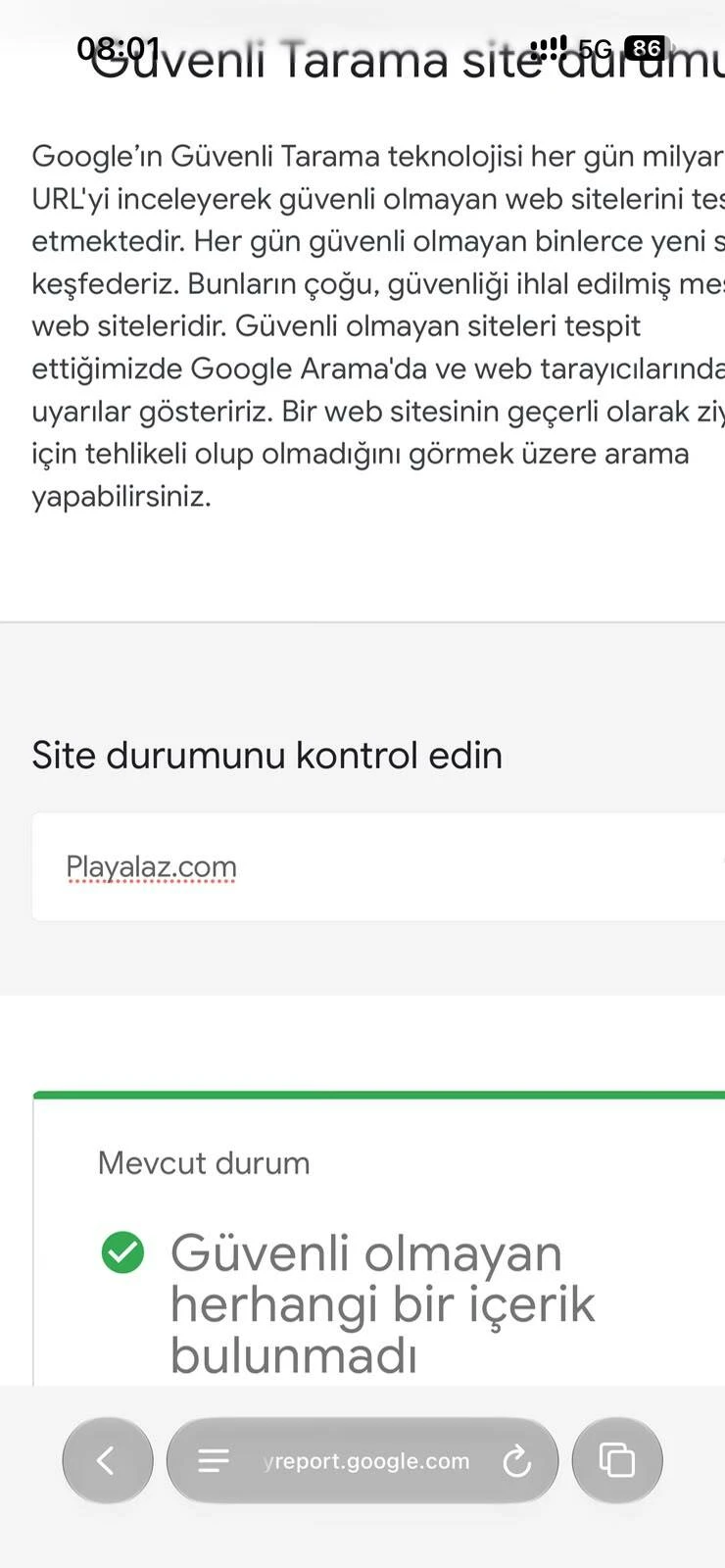
1) Google Safe Browsing reports no unsafe content for playalaz.com (screenshot attached).

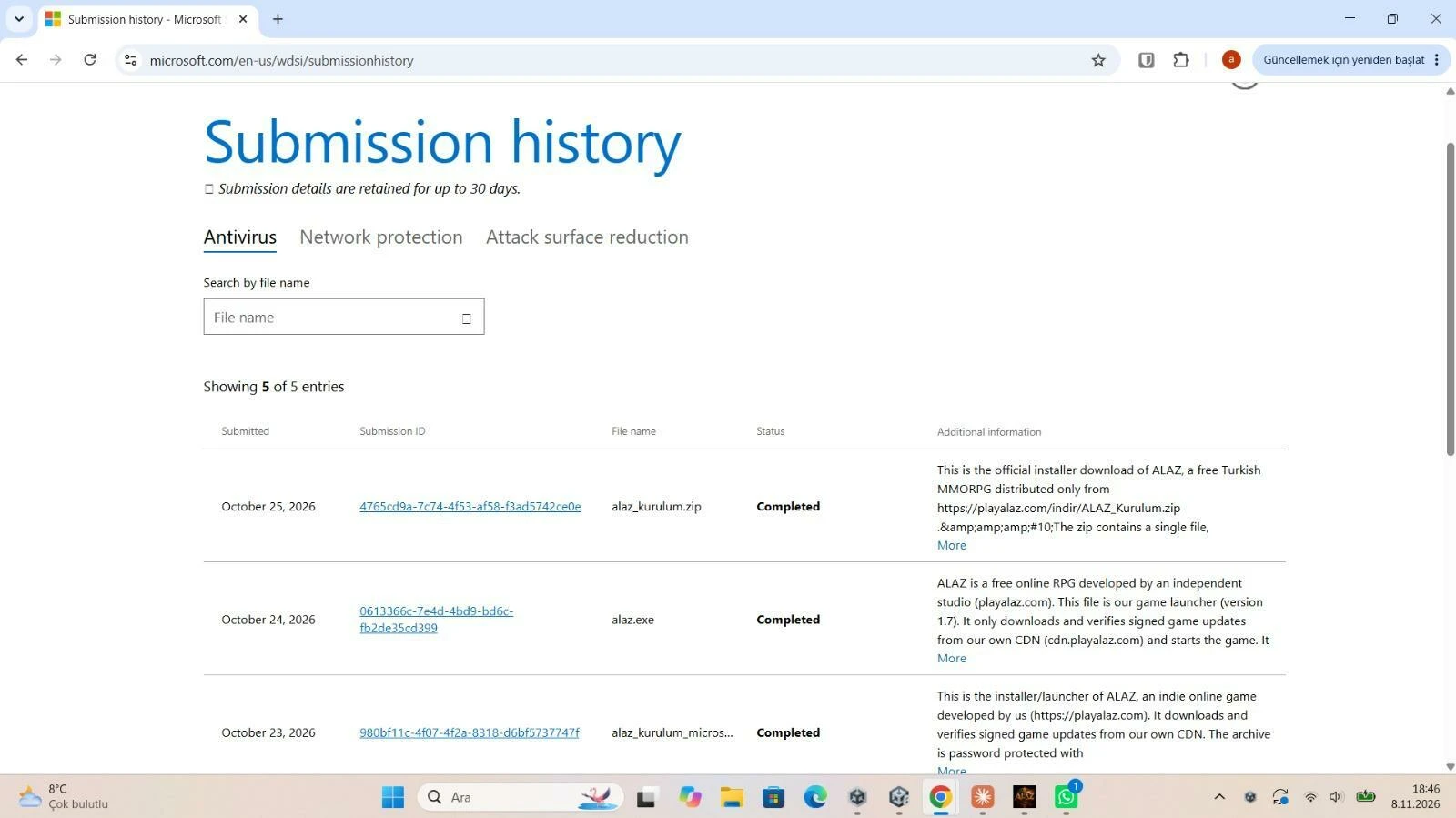
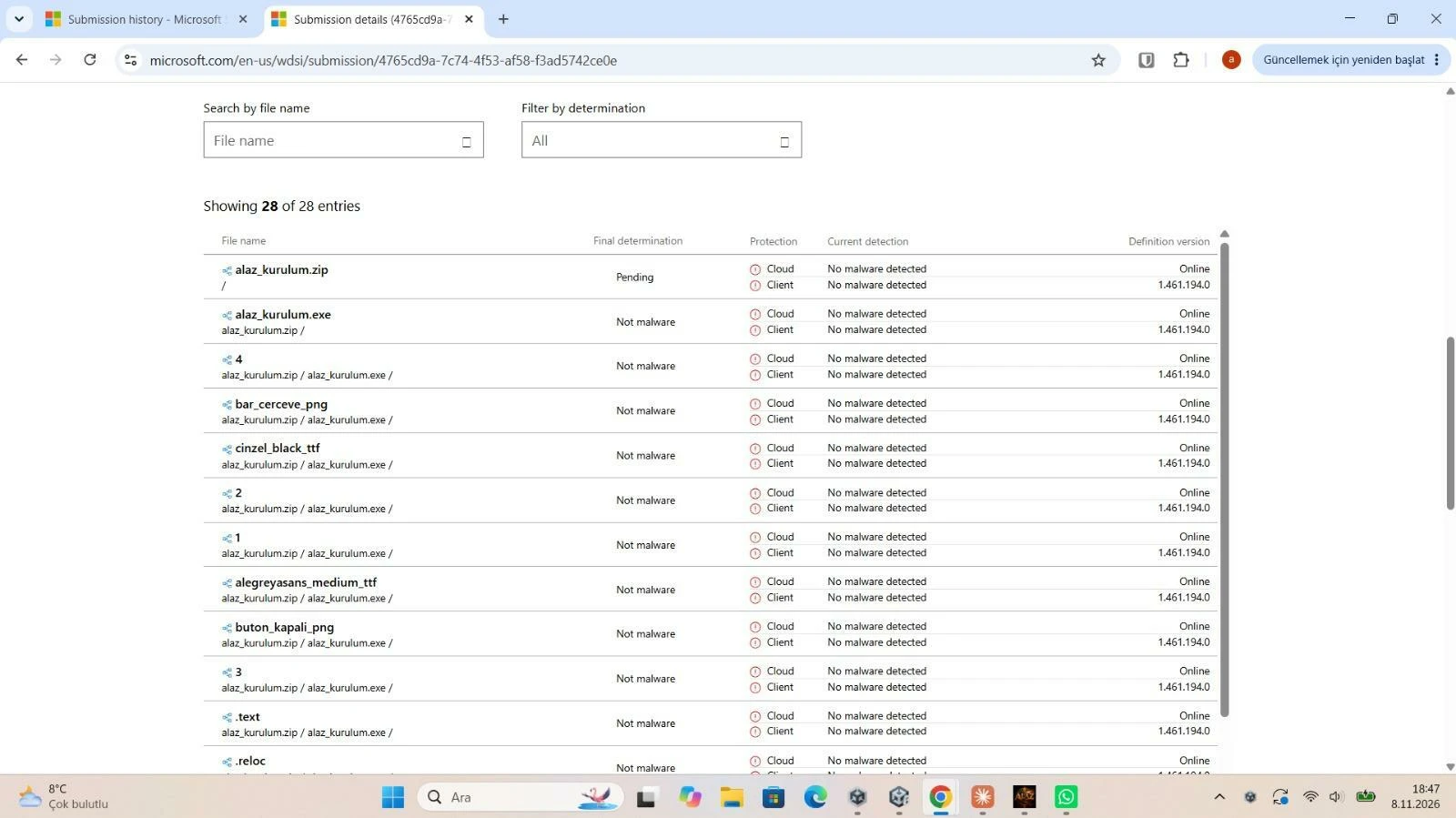
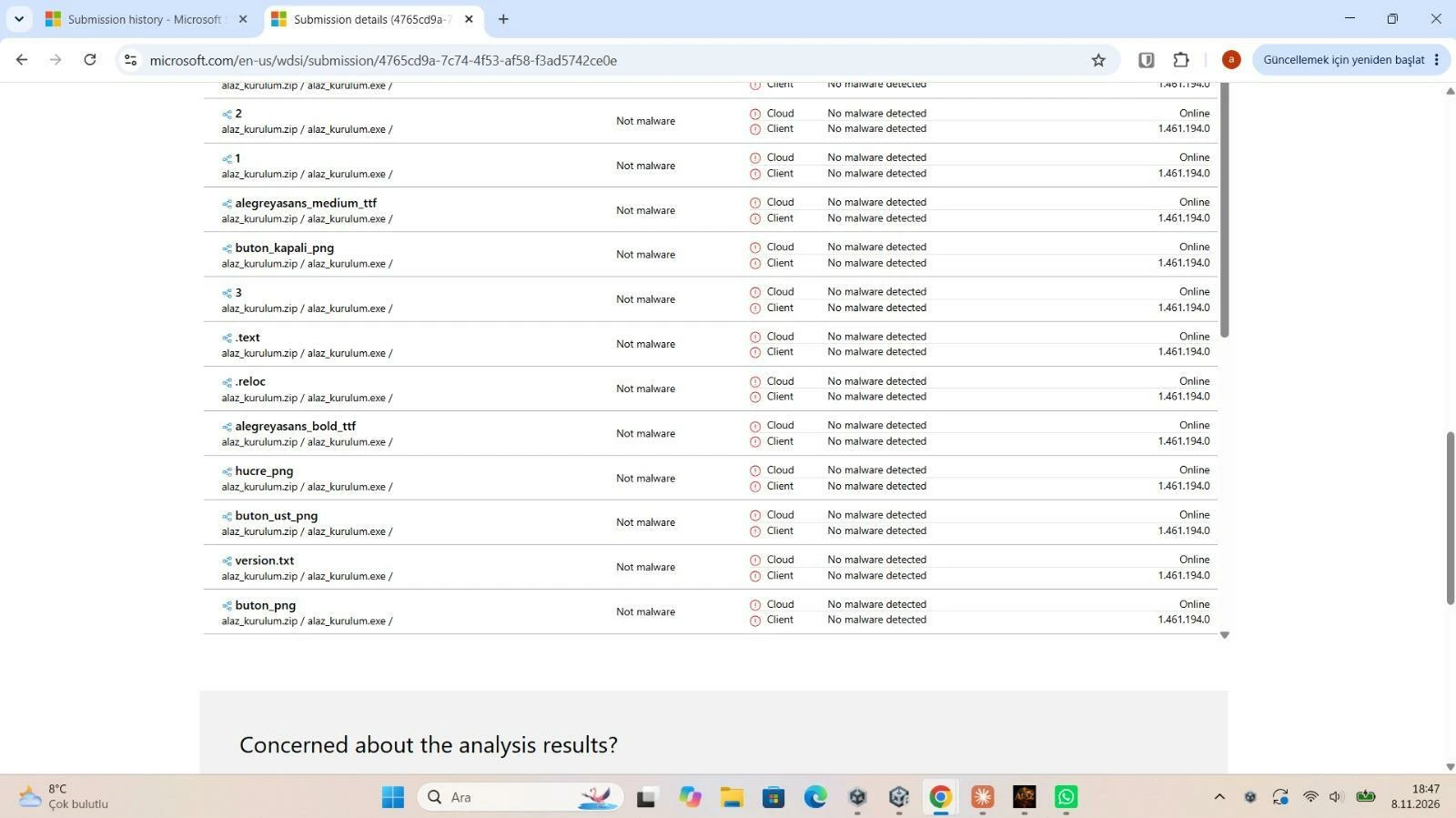
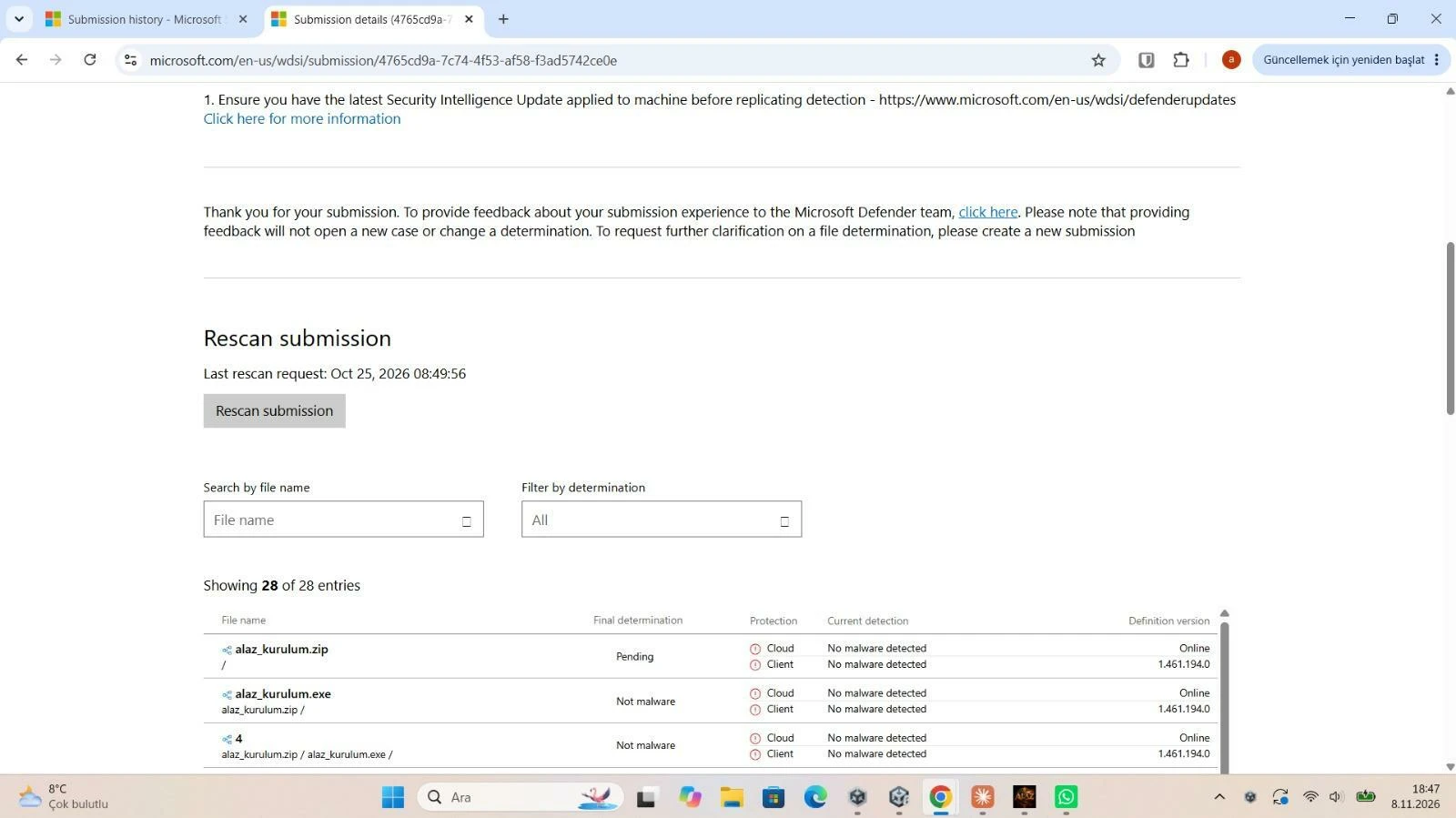
2) Our installer was submitted to Microsoft Security Intelligence and all 28 files inside it were analysed as "Not malware / No malware detected" (screenshots attached).


What I have already tried: The Sharing Debugger does not work for this domain, and the "URL Blocked From Posting" option in Developer Support only links to a community thread that returns "Page Not Found".


Could someone from Meta please review this block and remove it, or tell me which page or content violates the Community Standards so I can fix it?


Contact: [deleted]


Thank you.

[post edited by a moderator for privacy]
 

    This topic has been closed for replies.

    4 replies

    Maccyb123
    Expert Contributor
    Nov 14, 2026 5:22 PM UTC

    This is a user only forum dedicated to troubleshooting Quest VR headsets, but there are no Meta staff here, no Meta moderators, no Meta community managers.. Only users, so you are in the wrong place.. Meta does not monitor this forum. We cannot help with this as we have nothing to do with app issues or accounts. 

    You need to contact Meta official support. There is a link to various methods of getting in touch with them.. Please note that this is an open unsecured public forum. You should edit your message and remove your Gmail address for your own security. If you receive any private messages or emails from people claiming to be from Meta, disregard them as they will be scammers.


    Here's the link. 

    https://www.meta.com/en-gb/help/support/?g1=5960237440706837&g2=5599442656832658&g3=5947917498632978&et=none&sg=skip


    Maccyb
    Maccyb123
    Expert Contributor
    Nov 14, 2026 5:24 PM UTC

    And just for future situations know that we have nothing to do with Facebook Instagram or WhatsApp. Only Quest VR headsets. 

    Maccyb
    steve40
    Honored Contributor
    Nov 15, 2026 1:22 AM UTC

    Spam reported.

    Moderator
    Nov 15, 2026 9:20 PM UTC

    Hi ​@ssercanblks,
    We’re sorry to hear you’re having trouble getting your domain unblocked. Unfortunately, the Meta Community Forums are strictly for Meta Quest and Reality Labs (VR) products, so our team here isn't able to review website URL blocks or handle Meta link appeals. However you can try these steps: 

    1. Meta Business Account Quality & Events Manager: Verify your domain inside a Meta Business Portfolio (Brand Safety > Domains) and check Account Quality (business.facebook.com/accountquality) or Events Manager > Diagnostics (Meta Business Help) to submit a domain review request.

    2. Meta for Developers Community: If the Sharing Debugger appeal link is returning an error, post your request in the Meta for Developers Community, where developer support teams handle broken URL-block appeal forms.

    We will be closing this thread now since there’s nothing further we can do from the VR forum side, and we wish you luck getting this resolved!