Quest Development
Recently active
i recently added in app purchasing to my meta game and never got my earnings even after 2 months and i waited the 5 day payout hold because i changed my payout payment method and never recived my earnings that i got for in app purchasing from my game using meta for developers
Hi all!We currently have an app live in app lab for around two years. Normally, when pushing an update, the update is available within minutes of releasing, with the (metadata) check happening after. However, the most recent update we pushed is not yet live. This is an issue because the update is live on other platforms and because multiple platforms can collaborate we try to match the release dates as much as we can. Did anything change regarding the review process for updates for apps on app lab? And if so, how long can it take for an update to release?
Hello Meta Quest community! I have some questions I'd like to ask you, in case someone can help me solve them. I need to develop a virtual reality application for Quest 2 and Quest 3 in the near future. The application consists of a 360-degree virtual tour. I'm working in the Unity 3D environment and I'm having an issue with the file size of the videos in the build. I don't want to include the videos directly in the build; instead, I'd like users to be able to access a folder from the headset and play the videos from there, similar to what Bigscreen does. However, I've read in several places that Oculus doesn't allow accessing files from within an app. Is this true? If so, can you provide me with any solutions? I appreciate any help you can provide in advance.
I am trying to activate Developer and Debugging mode on a few Meta Quests to test ArborXR but i am running into a issue.A phone number or a credit card has to be used to activate it. Now the company i work for do not have a company credit card. So i have to use a phone number. After filling in the phone number I keep getting an error mesage saying (in dutch): This page is not avaible. This is because of a technical error for wich we are looking for a solution.Any ideas to fix this? Any workarounds?Thanks in advance.
I'd like to communicate to a Quest from a generic Blueotooth BLE device (such as Arduino, etc.). It was not possible with the Go. I believe the radio could see BLE advertisements but could not connect to generic devices using generic protocols. It can connect to some game controllers, presumably when they use BLE standards for game controllers. https://forums.oculusvr.com/developer/discussion/67316/arduino-to-bluetooth-interface@mconte, Oculus Developer Engineer, commented about Bluetooth in an AMA on May 3, but mentioned game controllers so I'm not sure if his comment was about generic BLE or only a restricted subset of BLE devices like the case with the Go.https://forums.oculusvr.com/developer/post/quote/75196/Comment_675391
I see my game submission pass through review, but I can't seem to find the game, How can I can find him? The game name is "Task Force 9 Demo"
Hello everyone and nice to meet you all.The first thing to say is I'm very new to the VR field, so if there's already some similar discussion please kindly let me know. Thank you 🙂 I'm now developing a VR experience(either stand-alone or cable linked) with hand tracking mode on, which will need this exact gesture from Oculus default gesture of going back to the main page. I have been searching for ways to change or just inactivate the gesture but did not find anything yet. It will be very kind of you to share if you know how to change or delete the gesture.Thank you so much !!!! I am very appreciated!
I'm trying to get a file path with startActivityForResult and ACTION_OPEN_DOCUMENT.The file browser opens. When I select a file, the file browser closes, but the universal menu is still open. In my code onActivityResult is never called.Any idea why this is not working on the Quest 2? I already tried with enabling the WRITE_EXTERNAL_STORAGE permission. And I also tried ACTION_GET_CONTENT instead of ACTION_OPEN_DOCUMENT. @Override public void onCreate( Bundle savedInstanceState ) { ... Intent intent = new Intent(Intent.ACTION_OPEN_DOCUMENT); intent.setType("*/*"); startActivityForResult( intent, PICK_FILE_CODE ); } @Override public void onActivityResult( int requestCode, int resultCode, Intent data ) { // never gets called }
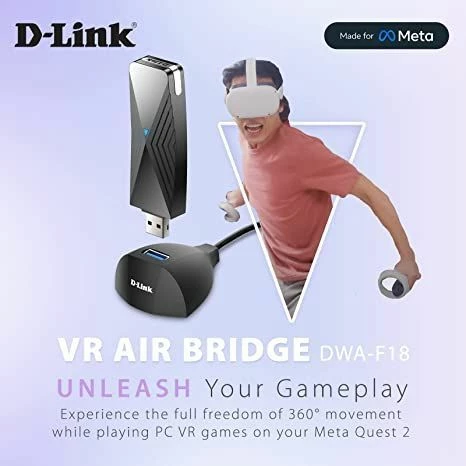
Meta promotes the D-Link Air Bridge as a perfect PC to Quest solution but fails to support the newer Quest Pro headset. The community would appreciate some guidance as to when Meta anticipates support as neither D-Link nor Meta Customer Support provide transparency.
The verification process for our organisation Robosaru Games is still in progress, but it seems from July 1st both our games (Reflext Unit 2 and Roll-A-Mech) have been completely removed from AppLab! Our understanding that new updates could not be published, but not that the games would be deleted... this is really harsh.
Everything is alright yesterday.Today I found that the unknown source in Quest is disappear and I cannot connect my Quest via ADB.Also the developer mode setting is not found in Oculus App.What happened?
Hi there,I developed a game with Unreal 4 (VRPC) connected with the link.The game closes automatically when I remove the headset from my face. Do you know how to solve this problem ?How can I force the headset to stay on when the game is running ?Thanks in advance.Matthiew
After purchasing a Quest Pro, because I wanted to explore mixed reality applications that track real-world objects, I found out that it is not possible yet because they don't let applications use camera data due to 'privacy concerns'. You can't even track AR tags.Since this is a mixed reality headset it seems this would be an essential functionality and priority for them. People use camera data all the times all the time on phones to create mixed and augmented reality applications. Is this something we will see them eventually release an SDK for (like AR Foundation) or should I just return it? Attaching a separate webcam on my headset is not an option.
Hey all,New to all of this and I am trying to record the position of hands in real time and after a pinch gesture. How do I access the hand tracking position? I currently have the following hierarchy with the Transform Feature State Provider script attached to the HandFeatures: But now I have no idea how to actually use the Transform Feature State Provider. Anyone able to provide a newbie some guidance?
I want to be able to make some games in vr and play them on my Quest, but whenever I try and verify my Developer account by text, the text never sends. No matter what phone I use, it just won't send. I could really use some help, I've been stuck on this for like a week now.
We've been working on our game for about 1.5 years, done tons of builds etc. Occasionally, link won't connect and the only way that I have found to get it to reconnect is to uninstall oculus home and reinstall it, I've done this many times over the last year without any issues. Well this time, upon doing that oculus platform will NO LONGER INITIALIZE. It either gives no errors whatsoever, or I can some times get it to give a DllNotFoundException: LibOVRPlatform64_1. Searching around for help online it looks like this is a direct symptom of unity not knowing that the oculus home app is installed, or running. Which is of course is! It may be that I installed it in a different location than previous THIS time around and that caused this. But no matter what I do, deleting the library, rebuilding it, reinstalling oculus home, reimporting oculus integration, reinstalling oculus home. Over and over again, restarting, all of that in different orders. We tried for 7 hours straight to
Dont know if many others are getting this, but when I am playing assetto corsa or other racing games while using a wheel (after putting controllers down) I keep getting notifications that they are off and the notification stays there until you pick up the controllers and comes back a short time after you put them down and is really distracting.
OVRSceneAnchor[] sceneAnchors = FindObjectsOfType<OVRSceneAnchor>(); OVRSceneAnchor floorAnchor = null; if (sceneAnchors != null) { for (int i = 0; i < sceneAnchors.Length; i++) { OVRSceneAnchor instance = sceneAnchors[i]; OVRSemanticClassification classification = instance.GetComponent<OVRSemanticClassification>(); if (classification.Contains(OVRSceneManager.Classification.WallFace) || classification.Contains(OVRSceneManager.Classification.Ceiling) || classification.C
For my application, there seems to be too much of a hit going to Linear color space. (Unless my testing is whack.) We have a lot of stacked transparancy, and we are simply pushing a lot of pixels. Overall it appears to be about a 10% penalty, and in my situation, that is a very important 10%.Any sneaky tricks to get this to work? Is there actually something incompatible about the latest OpenXR backends, or is the check just there as a policy to push people to linear space?I'd love to move to the latest backends and drivers if possible, but it looks like I need to stay in the Gamma world.Thanks!
That's a real question, because Quest 3 specs are not announced on the official page.Per scene, the game I am working on uses only 1 lightmap, 5-10 materials, 1-5 realtime lights, and 1 or 2 dynamic objects only, however the fps is very low and make it unacceptable to play without Link. Since it is a roomscale multiplayer game, It cannot rely on Link for the final release.I need 4 headsets, so before to buy it I am wondering if the quest Pro will stay above the Quest 3 GPU capabilities or not?As a developer, Is it possible to develop and test on quest 3 before the official release date?
We have change the password,i dont work to login on oculus, but it work on meta login. But when the verification code should come to his phone, there will not come any code
Accidently posted in the Comunity Forums by accident before hopefully someone in here might know a bit more. Looking for any documentation on how to implement the spectator mode shown recently at a oculus event. Basically the feature is a separate camera casting to a phone or compatible device, that isn't what the user in the headset is seeing. I work in Unity so anything specific to that would be especially useful but I'll take anything at this point, I can't seem to find anything other then press releases.
Hello I recently was told my graphics card isn’t compatible with oculus. However it is stronger than the listed recommended one. I was told that apparently oculus is not compatible with specifically the nvidia geforce GTX 1650. It seems to be compatible with every other one similar including nvidia geforce 1650 super or the one below it 1080. I do not understand why you have not fixed this. The fact that it works with weaker ones shows it’s not as much the hardware limits. I look on your forum and people have been asking you to update this for years. Can you please explain to me why you haven’t fixed this. I’m very upset cause I spent a lot of money upgrading my laptop and on the oculus itself just to play some games and nope it can’t link to my laptop at all. Not because it’s not strong enough but because it just won’t? I am obviously not trying to yell or be upset at someone who’s fault it isn’t. I’m just very frustrated with this and finding out only after I spent all the money
Hello,We're about to push an update to comply with the new user reporting requirements for our game, but the update will no longer be compatible with Quest 1. Will our Quest 1 players be able to keep their existing version, and what will happen for reinstalling/new Quest 1 players? Will they just get the latest compatible version on the release channel?Thanks in advance.
I'm having no luck getting Meta to verify my admin request for my Meta Quest Developer account.I've uploaded a driver's license and passport as photo ID and made sure I adhered to all the stipulations for the image to be checked but I just get constantly rejected.I believe automatic detection is used to read information on the documents sent but it's either broken or too strict to pass anything.I've tried using different browsers as was suggested in a previous post but still no joy.Where do I go from here? Is there human support that I can contact to get verified?
Already have an account? Login
Enter your E-mail address. We'll send you an e-mail with instructions to reset your password.