New Participant
March 3, 2025
Solved

Needing script that randomly moves objects withing a defined area.

Needing script that randomly moves objects withing a defined area.
jimpuddin
jimpuddinAnswer
New Participant
March 3, 2025

So all of the animations in Puddin’s perfect phish tank are calculated and done on update with move to and rotate to. I am using Perlin noise to create a rotation for the head, and each subsequent body part repeats the rotation with a delay and a degree of amplification. it’s the same script I use to animate my flags. Then I use the forward direction of the head to actually move the fish. Perlin is great for this type of smooth movement because it always contains its own acceleration. The further you zoom in, the smoother the motion is. The noise contains every point between a and B and you get to control the speed  

8 replies

protoxr1487653
Honored Contributor
March 3, 2025

You will not need typescript for this. Just use code blocks. This demonstrates how you would move the object, but you will have to finish the rest of the script. There are primarily three code blocks you will need: "move to", "random  number with decimals", and "new vector from xyz". You will need to adjust the Min and Max on each axis for your defined area, but this script on it's own would just move itself to a new random location every 10 seconds. Try this and experiment with the numbers to see what changes.


Proto_XR
HomeMed
Inspiring
March 3, 2025

I would suggest using "Move By" at line 7 rather than "Move To", otherwise the object will move to those position rather than moving at the location it is at. Also if you want to see the object move then use "Move by over time"

SeeingBlue
Honored Contributor
March 3, 2025

It looks like you're wanting a Typescript version. What I like to do is set a central object that I can move around if needed then I can move my other objects by a random min/max value based on the central objects location.


You didn't specify if you wanted the objects to move instantly or overtime and you didn't specify if you wanted the move on all 3 axis or just 2. If you can answer those questions then I may be able to provide an example for you.

Upcoming Events : Performance Pro - UI Unleashed - Building Responsive & Performant Interfaces Thursday June 19th 5:00 PM PT - Register June Programming Calendar
XWookieXAuthor
New Participant
March 3, 2025

Sorry, yes I want them seen and yes all 3 axis...basically I'm wanting to have fish swim around smoothly but also randomly

protoxr1487653
Honored Contributor
March 3, 2025

That is more complicated, but it would start with 'move by over time' code block.

If you want to see what is possible be sure to check out jimpuddin's aquarium where he did this and added fish animations. I didn't even notice the sharks swimming overhead until my last visit there.
https://horizon.meta.com/world/10225143434718822/

Proto_XR
jimpuddin
jimpuddinAnswer
New Participant
March 3, 2025

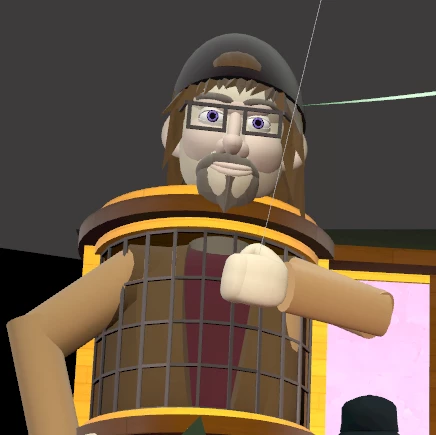
So all of the animations in Puddin’s perfect phish tank are calculated and done on update with move to and rotate to. I am using Perlin noise to create a rotation for the head, and each subsequent body part repeats the rotation with a delay and a degree of amplification. it’s the same script I use to animate my flags. Then I use the forward direction of the head to actually move the fish. Perlin is great for this type of smooth movement because it always contains its own acceleration. The further you zoom in, the smoother the motion is. The noise contains every point between a and B and you get to control the speed  
XWookieXAuthor
New Participant
March 3, 2025

That sounds like above my pay grade..lol

gausroth
Honored Contributor
March 3, 2025

This will set a min and max position for the object and randomly select a position within those values. Once selected it will move that object towards that position and rotate the object to look at that position. This is done on update using lerp and slerp respectively.

I did test this and seems to be working towards your specifications. Note that you will have to place this on the object that is supposed to move and set the offset values in the inspector. The moving object will be in the center of the area you desire it to move on start.

import { Component, PropTypes, Vec3, World, Quaternion} from 'horizon/core';

class RandomMoveWithinArea extends Component<typeof RandomMoveWithinArea> {
    static propsDefinition = {
        xOffset: { type: PropTypes.Number, default: 0 },
        yOffset: { type: PropTypes.Number, default: 0 },
        zOffset: { type: PropTypes.Number, default: 0 },
        moveSpeed: { type: PropTypes.Number, default: 1 },
    };

    private maxPos: Vec3 = new Vec3(0, 0, 0);
    private minPos: Vec3 = new Vec3(0, 0, 0);
    private startPosition: Vec3 = new Vec3(0, 0, 0);
    private targetPosition: Vec3 = new Vec3(0, 0, 0);

    private startTime: number = 0;
    private elapsedTime: number = 0;
    private duration: number = 10000;

    private isMoving: boolean = false


    start() {
        this.connectLocalBroadcastEvent(World.onUpdate, (data) => { this.onUpdate(data.deltaTime); });
        // set the max and min values based on the entities position at world start and its set offsets
        this.maxPos = this.entity.position.get().add(new Vec3(this.props.xOffset, this.props.yOffset, this.props.zOffset));
        this.minPos = this.entity.position.get().sub(new Vec3(this.props.xOffset, this.props.yOffset, this.props.zOffset));

        this.ChangePosition();
    }

    onUpdate(deltaTime: number) {
        // we only want this to run if the object is supposed to be moving
        if (this.isMoving) {
            const currentTime = Date.now();
            this.elapsedTime = currentTime - this.startTime;

            // if the object has been moving longer than the desired amount of time
            if (this.elapsedTime >= this.duration) {
                this.entity.position.set(this.targetPosition);
                this.startPosition = this.entity.position.get();
                this.isMoving = false;
                this.elapsedTime = 0;
                this.ChangePosition();
            }
            else {
                let amount = (this.elapsedTime / this.duration) * deltaTime * this.props.moveSpeed;
                this.startPosition = this.entity.position.get();
                const currentPosition = Vec3.lerp(this.startPosition, this.targetPosition, amount);
                this.entity.position.set(currentPosition);

                // increase the amount for slerp so the object rotates faster than it moves
                amount *= 10;
                const startRot = this.entity.rotation.get();
                const endRot = Quaternion.lookRotation(this.targetPosition.sub(this.entity.position.get()), this.entity.up.get());
                this.entity.rotation.set(Quaternion.slerp(startRot, endRot, amount));
            }
        }
    }

    async ChangePosition() {
        // set our new x, y, and z values
        // NOTE: If both values are not negative or positive then it can give unwanted values
        const x = Math.random() * (this.maxPos.x - this.minPos.x);
        const y = Math.random() * (this.maxPos.y - this.minPos.y);
        const z = Math.random() * (this.maxPos.z - this.minPos.z);

        // set a new vector to the random x, y, and z values and set the entities position to the new vector
        this.startTime = Date.now()
        this.targetPosition = new Vec3(x, y, z);
        this.isMoving = true;
    }
}
Component.register(RandomMoveWithinArea);


GitHub: https://github.com/Gausroth/HorizonWorldsTutorials.git Discord: https://discord.gg/hNyDQwdw4N YouTube: https://www.youtube.com/@GausRothTutorials