Quest Development
Recently active
I've integrated IAP into my oculus application, and only once did it work like going to the payment page. I made a payment also it's working fine. The next payment itself is not opening, the popup closes immediately anyone could help you out with this Ref: https://developer.oculus.com/documentation/unity/ps-iap/
Hi,I'm seeing quite a few music VR/MR apps coming about (also developing one myself) and would like to raise the point of adding support for the android.media.midi feature on Quest OS. It's there by default on most modern Android devices, so I don't see why the Quest as a multimedia device should not have access to it. I assume it would make the lives of many music app developers much easier and would be very much appreciated meta.I'm interested to hear about alternative solutions that do not require sending MIDI data via WiFi to a custom app just so people can play music in VR.Best,Max
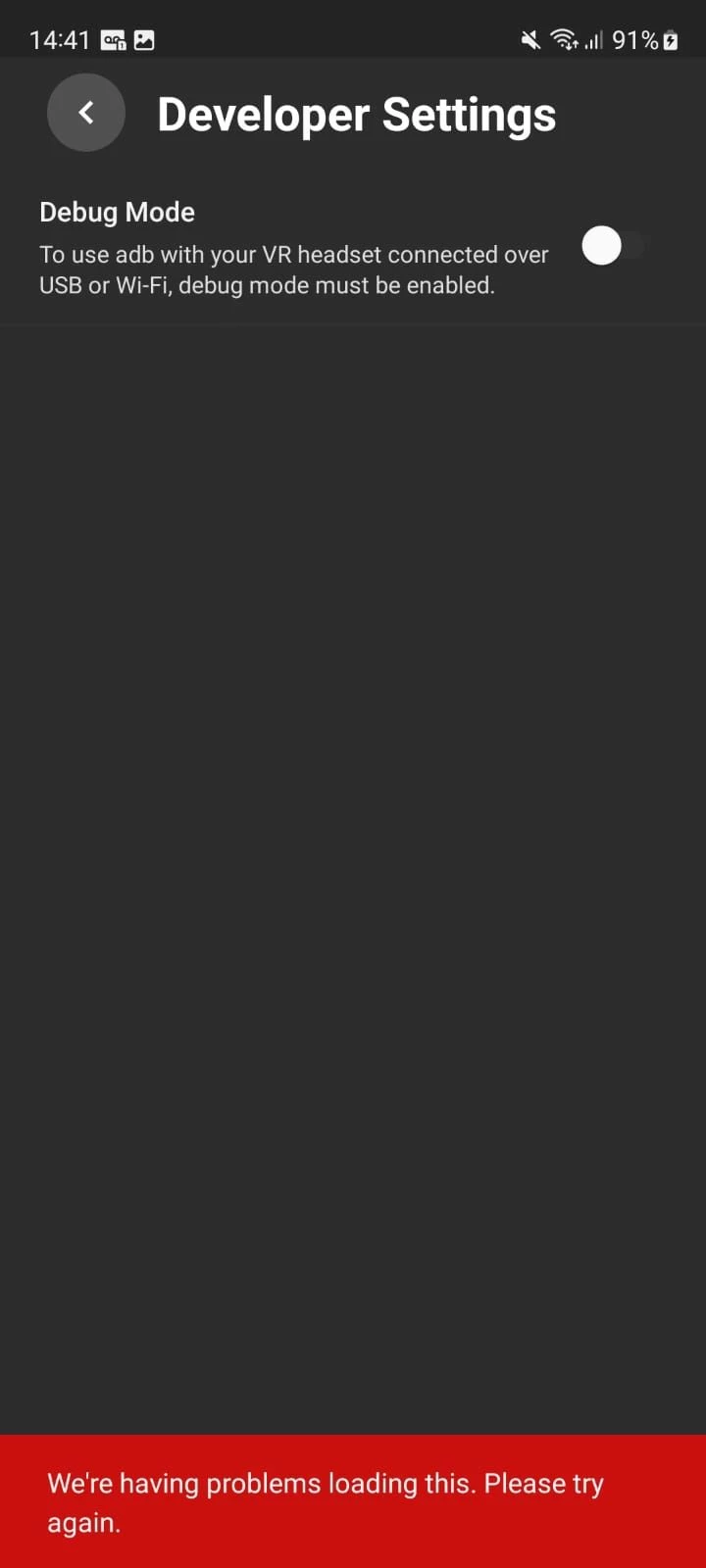
My quest 2 had a boot loop and I tried a few things like factory reset and firmware update, and in the end I found out that it was due to the proximity sensor, so I removed the faulty proximity sensor from the quest 2 and it booted up normallyBut now it's stuck on the black screen because of the faulty proximity sensor and I can't set it up because it doesn't allow me to use it since I can't see anythingI tried to deactivate the proximity sensor through the computer, but for me to deactivate it I need to activate the usb debug mode, but then another problem appears, I paired the quest 2 with my cell phone to activate debug mode and it does not allow me to activate itMy account is already verified, I don't understand why it doesn't allow me to activate this optionHonestly, I don't know what to do, I can't set it up through the quest because it has a black screen because of the sensor, and I can't even deactivate the sensor because I can't activate debug mode on my cell phoneIf anyone ca
Fed up with super indy stuff - not bashing on solo dev but stuff made by 1yrs old experience unity dev sold as a vr game that look worst than job sim in 2023 with a 20$ price tag.. enough for me. With amazin AC: Nexus (yes yes its not perfect) - i hope the era of true VR game start trickling down the store once and for all. Done are the day of paying 20-25$ for stuff woth not even 15$.
I am trying to make a developer account for my headset, but meta wont accept ANY credit card to verify the account! I have tried using both of the credit cards I own and nothing! Has anyone dealt with any issue like this before? Using SMS is not an option for me!
Hello All,I frequently use the Quest 2 for productivity, and while the black-and-white passthrough is just fine for keyboards, I would much prefer the tracked option. However - and I am sure I am not alone in this - I am an avid mechanical keyboard enthusiast, so none of the supported tracked keyboards are even close to what I am using.Are there any development resources available to create tracked keyboard packages for the Quest 2? I cannot find any reference material on the subject, only instructions for connecting supported keyboards. Thanks,Alex
HelloI am using Unity XR OpenVR because it does multiple controller ray interaction and hands. Oculus doesn't appear to do hands out of the box (or at least what I tested). Before I implemented hands I was using the Oculus system from Android (not OpenVR) and fixed foveated rendering worked using Utils. After switching to OpenVR and importing com.meta.xr.sdk.all I tried using the OVRManager to set foveated fending but it does nothing. I added the OVRManger to an empty game object in the scene and the app crashes now. I only need foveate rendering to get the Quest 1 running at 72fps. I have 2 questions1) Is it worth trying to get FFR working for the Quest 1 frame rate (Does Meta care about Quest 1 anymore)2) How do you get FFR working. with Unity XR, Open VR and Meta XR All-in-One. Ovr Metric tools just has FFR at 0 no matter what I try
I am working on a peer-to-peer vr game and looking into multiple options for multiplayer. I know Steam has steamworks, which acts as multiplayer servers for Steam-only games. I was looking into various OnlineSubsystems (I am on unreal engine) and I found meta/facebook supposedly has one. It is hard to find documentation so I wanted to ask if the multiplayer services can be used for general multiplayer with strangers, rather than friended or party users. edit: wrong category, sorry
Hello,great that the depth sensor is now used to propose a boundary.However, while this is OK for some use-cases, it really needs to be improved latest when working together with scene data, space sense and the like.I tried to place touchable objects on planes of walls and the like, but the guardian kicks in before I can really touch that.The reason is that the boundary is a very round shape with notable distance from anything around and on the floor.Also it does not persist when you turn around while mapping and loses details it already had.Please, first, ensure that it does not forget details it already learned and perhaps also let in learn on the go to improve further while walking around.If there are objects detected surrounded by the floor, allow to ignore them and just have space sense for them/ extra planes in the scene.When you have some moveable chairs or the like it is really hard to place something with some size dynamically in the boundary.When one adds furniture near to th
Hi! I have an idea for an app I want to develop for the quest 2 but I’m not sure if there’s an age limit. I’m 13 and just want to mess around with developing an app but want to make sure there isn’t an age limit somewhere in the system that will prevent me from developing/publishing the app. Anyone know about a limit? Thanks!
Disconnect the cable from the computer.Disconnect the computer from the internet.Reboot into Safe Mode.Uninstall Oculus PC app using the Control Panel.Delete all Oculus folders from the following folder:C:\Program FilesRemove any Oculus folders from the following locations:C:\Users\YourUserProfile\AppDataC:\Users\YourUserProfile\AppData\LocalC:\Users\YourUserProfile\AppData\LocalLowC:\Users\YourUserProfile\AppData\RoamingC:\OculusSetup-DownloadCachestarted computer in normal mode.connected computer to the internet.Install Oculus PC app again using the setup tool from our website here.Reconnect the Rift/Link cable and re-test the headset.OculusClient.exe wont login says wrong password wrong email
This page https://developer.oculus.com/downloads/package/meta-xr-haptics-native-sdk/is meant to give a download for haptics native sdk, but it does not work.Is a fix coming?
https://www.aparat.com/v/Ic0rd
I have a mixed reality app on quest 3 and would like to use the space-setup as collisions. I want objects I put in my project to collide with real-life floors and walls. How do I set this up?A link to a guide would be helpful also.
Bonjour,j'ai un soucis a faire la mise en miroir de mes casque VR. j'ai le message suivant:
(post moved to dedicated Unity section, no idea where the option to delete this is)
Besides the documentation, this is my config which works finally:Download via Android Studio (Tools - SDK-Manager)SDK Platforms (check "Show Package Details"): Android 12L -> Android SDK Platform 32, Sources for Android 32, ARM 64 v8aAndroid 10 -> Android SDK Platform 29, Sources for Android 29, ARM 64 v8aSDK Tools (check "Show Package Details"): Android SDK Build-Tools 34 -> 32.1.0-rc1, 32.0.0, 29.0.3NDK -> 25.1.8937393Android SDK Command-line Tools -> Android SDK Command-line Tools 11.0, 10.0Android EmulatorAndroid Emulator Hypervisor DriverAndroid SDK Platform ToolsUnreal Engine Project Settings:Android SDK:Min SDK: 29Target SDK: 32NDK: 25.1.8937393 (26.x doesnt work)JAVA: JAVA SE 8 (https://www.oracle.com/de/java/technologies/javase/javase8-archive-downloads.html)SDK API Level: android-32NDK API Level: android-29SDK Paths:Location Android SDK: C:/Users/[Username]/AppData/Local/Android/SdkLocation Android NDK: C:/Users/[Username]/AppData/Local
Whenever I try to add assets, for example, the logo or the cover art, it all uploads fine and I see it uploaded, but then when I click "save changes" it just doesn't save them and instead deletes them, when I try again, it does the same thing. I can't upload my app to applab because of this reason, because it says "Please complete all metadata sections before submitting" Does anyone else have a similar problem?
I'm developing an app and I'm encountering a problem.When I hit the Oculus button, the main camera seems to stop tracking and the entire image is frozen and it caused me motion sickness.I'm not sure how to fix itI'm using Unity 2021.3.1f, Meta SDK 49, and XR interaction toolkit 2.3.0-pre.1.
Hi, Every time I deploy any apk from either Unity or adb install com.oculus.appsafety process has CPU usage of >= 100% for a couple minutes (for my app ~5 minutes), but it varies on the size of the installed app (I think). This creates a lot of heat and makes profiling the game and iterating extremely challenging. This looks like a safety feature, but it actually isn't. When you reboot the device and start the app manually, then it doesn't start, only when installing an app, so it doesn't actually do anything except create annoyance. It also doesn't block you from starting the app. If the app is malicious, and you start it, the damage is already done, it's unclear what's the point of then running this while the app already did the damage.I've tried various configurations, but nothing helps:* different Unity versions (2022.12 or 2021.27).* different projects (I've tried mine and example mixed reality template from Unity).* different users (I've tried developer test acc
For health reasons I need to reduce to the minimal expression the Electro Magnetic Fields so my house is a almost perfect zero EMF zone, that changed with the Quest 3 which even though says that it turns off or on the Wifi I know with the help of a sensor Acoustimeter that the EMF are exactly the same with the Wifi ON and Wifi Off, I would like to know if there’s a way to REALLY disconnect the Wifi.
I have 5 APKs I've built in Unity 2022.3.7f1. This project has worked in my Quest 2 before, multiple APKs uploaded from it. When I install the APKs (sidequest, ADB, dev console) the uploaded APK overwrites the previous one. I can do this individually or in bulk. Individually the APKs run perfectly on the headset. There are no error messages and no other issues. I have performed a factory reset on the headset, changed project identifiers and file names. This is a project that has been working for several months, I've delivered a bunch of work-in-progress APKs to a client from it without any problems. Tonight is, of course, the deadline. Any suggestions gratefully received.
I'm making an exercise app for people with limited arm movements.My users have very limited arm and hand movements. I have designed my games using Unity such that they can interact with a user interface using their head movements.I am worried however that they might not be able to run the app from the home screen when the headset is turned on, as this requires either using the hand tracking or controller button presses. My users won't be able to do this.Does anyone know if there is some functionality that would enable my users to run an app themselves without using the controllers or hand tracking? I was thinking of interacting with the UI using just their head movements with a cursor, or I also heard there was a voice command function.Any help with this would be greatly appreciated!
Hi all, Quick summary here of what we needed to do to get our app(s) updated to API 32 - with Unreal 4.27.2A bunch of this info seems spread out in other posts and I though collecting it in one spot might save others some painUpdating to API 32:- using Android Studio to configure the SDK to api 32 - just SDK Platform 32 and Sources for 32 are needed (we still have 29 installed)- Tools stay at 29 - we have 29.0.2 and 29.0.3 installed- Use the editor to set your android API to 32 Now problems we had with 32..-Sideloads of builds installs didn't work,-Dev builds couldn't save logs-We couldn't launch one app from anotherSideload fixes require changing /Engine/Source/Programs/AutomationTool/Android/AndroidPlatform.Automation.csNear the top.. add 'Android' infront of obb --> private const string TargetAndroidLocation = "Android/obb/";Then in GenerateInstallBatchFile, around line 950 there are to spots where "$STORAGE/Android/" needs to be just "$STORAGE/"Also in tha
I was looking at a tennis game and heard it would burns tons of calories, but it was like $30. I felt that was too much for just one game, I’m assuming there’s a game where you can play lots of games for a single price? Or maybe I should get like thrill of the fight if I am https://xender.vip/ looking to burn the most calories? I would also like to be fun though, and superhot was also another choice. Any thoughts?
Already have an account? Login
Enter your E-mail address. We'll send you an e-mail with instructions to reset your password.