

neurodivrgent
Inspiring
July 8, 2024

Meta Quest build v67 release notes
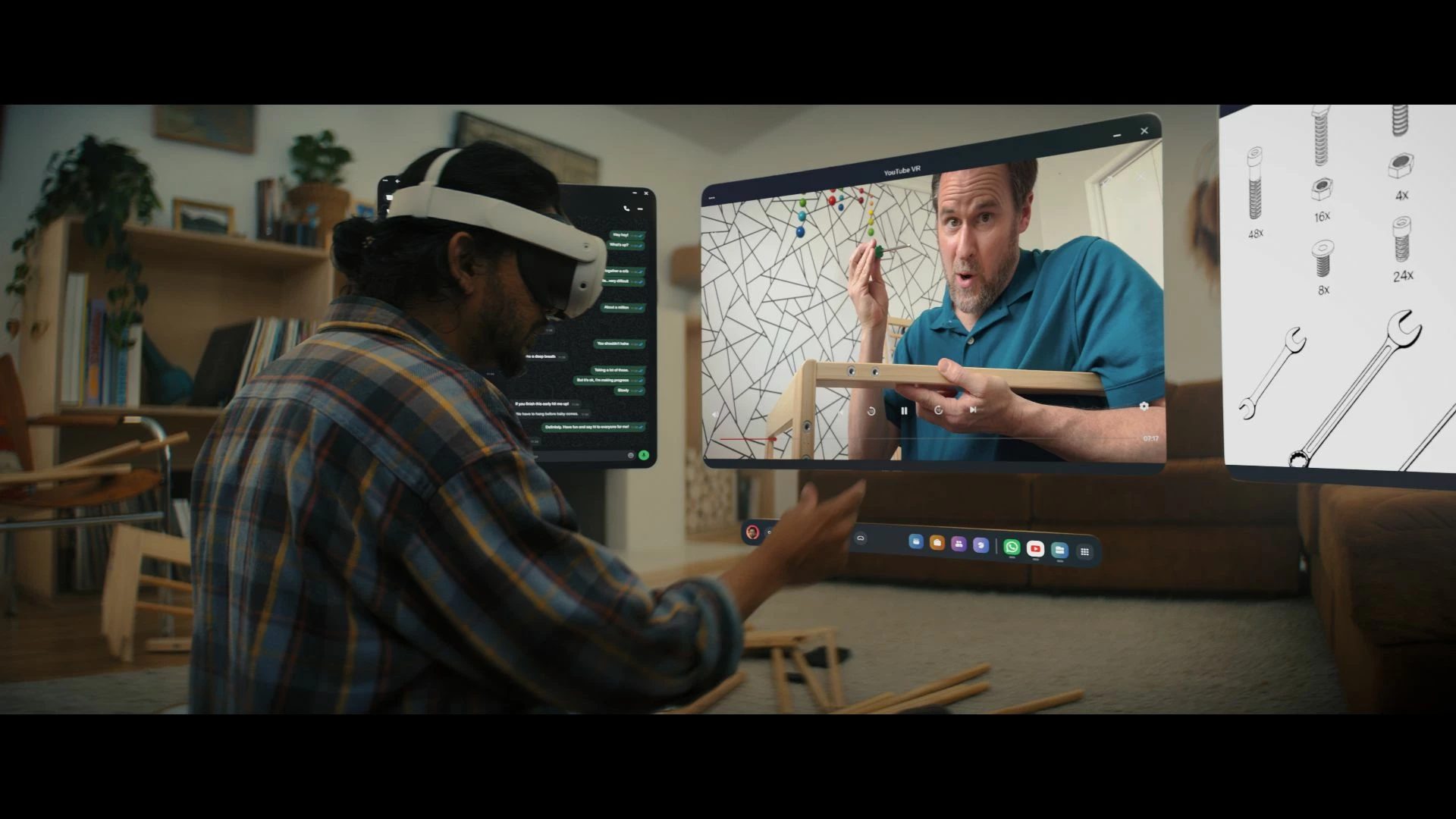
These features and enhancements are becoming available starting this week of July 8, 2024 and are pushed to Meta Quest 3, Meta Quest Pro and Meta Quest 2 headsets. Please note that you can find the most up to date release notes on our release notes article and you can check out our v67 blog as well for more details.

New window layout

 
We’re adding the ability to move windows around when you have multiple apps open in your headset. You can reposition windows anywhere. You can also watch content on a large screen by selecting the theater view on any window’s control bar.

You can find this feature under Experimental in Settings.


Creator content in Horizon Feed


We’re introducing new creator videos to Horizon Feed. You can connect with creators through reactions and sharing and jump into games and experiences directly from content in your Feed. If you are an active creator on other social networks and are interested in participating as a publisher, please let us know in the Meta Quest Community Discord.

  • This feature is rolling out gradually


Swipe Typing


We’ve added the ability to use swipe typing to enter text when using your headset. Cut down on typing by sliding your finger or cursor from letter to letter to spell words. You can turn this feature on by going to Settings, then System, then Keyboard and selecting the toggle next to Swipe Typing.


Eye tracking improvements (Quest Pro only)


We’ve made further improvements to eye tracking on Quest Pro. For the most accurate eye tracking, you can always recalibrate by going to Movement tracking in Settings, then Eye tracking and selecting Calibrate next to Calibrate eye tracking.


Do Not Disturb improvements


We’ve made a number of improvements to the Do Not Disturb setting. You can now select different durations for Do Not Disturb. You can turn this feature on from Quick settings. If you have Do Not Disturb turned on, you can also control this feature from Notifications.


Wi-Fi QR code scanner (Quest 3 only)


You can now scan a Wi-Fi QR code to connect to a valid Wi-Fi network with your Quest 3 headset. To scan a QR code, go to Wi-Fi in Settings and tap Scan QR Code.


Immersive media continuity

You can now open Quest TV or use File Viewer to watch immersive videos without quitting your current immersive app.

78 replies

New Participant
July 28, 2024

Release Highlights:

  • This update introduces several new features, performance improvements, and bug fixes to enhance your Meta Quest experience.

New Features:

  1. Hand Tracking 2.1: Improved hand tracking accuracy and responsiveness for a more immersive experience.
  2. App Sharing: You can now share apps and games with other accounts on your device.
  3. Voice Commands: Enhanced voice command capabilities, allowing you to navigate and control your headset hands-free.

Performance Improvements:

  1. System Performance: General system performance enhancements to ensure smoother operation and faster loading times.
  2. Battery Optimization: Improved battery management for extended play sessions.

Bug Fixes:

  1. Display Issues: Fixed various display bugs that caused flickering and screen tearing in some apps.
  2. Audio Sync: Resolved audio synchronization issues in several multimedia applications.
  3. Connectivity: Addressed Wi-Fi connectivity problems to provide a more stable connection.

User Interface:

  1. UI Enhancements: Refined user interface elements for a more intuitive navigation experience.
  2. Settings Menu: Streamlined settings menu with more accessible options and clearer categorization.

Known Issues:

  • Minor Glitches: Some users might still experience minor glitches with specific third-party apps. These are being addressed in upcoming updates.

For more detailed information and support, click here.

New Participant
August 4, 2024

He actualizado mis gafas meta quest 3, pero he notado un fallo, en el entorno exterior al mirar de un lado a otro se nota una distorsión por movimiento, cosa que no pasaba con la V66, he reestablecido los valores de fabrica pero siguen igual, he intentado tomar un video pero en la preproducción de ve bien.


¿podrían ayudarme con este problema, ya que es incomodo al momento de usar las gafas y mirar hacia los lados?

New Participant
August 5, 2024

We’ve made a number of improvements to the Do Not Disturb setting.

MetaStoreHelp
Community Manager
August 5, 2024

Hola Syegres,


Lamentamos que estés teniendo inconvenientes con la última actualización V66.


Es probable que la actualización necesite tiempo para que pueda ajustarse adecuadamente a todos los dispositivos Meta. Sugerimos esperar a que el sistema se estabilice para que la función de cámara externa (passthrough) vuelva a funcionar correctamente.


Gracias por participar en Meta Community Forums,


¡Un saludo!
 

If you're the author of a thread, remember to mark a reply as the Accepted Solution to help others find answers!
New Participant
August 5, 2024

La sensación que experimento con las cámaras externas es esta, os dejo un ejemplo:

Y por su puesto resulta muy incomodo ya que al mirar de un lado a otro, al mover las manos se siente mucho.

Honored Contributor
August 10, 2024

I'm on v68 now but can't find the v68 thread.

However a shut down update added the Hide App feature and the a following update removed. Seems like we've been to this rodeo before with pinning apps to the Universal menu.

New Participant
August 11, 2024

Buenas, 

Ya tengo la ultima actualización de mis meta quest 3, pero aun sigo presentando la distorsión en las cámaras, como les he comentado anteriormente la sensación es como esta: 

Es bastante incomodo porque mirar al exterior y tener esa sensación de movimiento marea mucho.

Agradecería vuestra ayuda con este problema.


New Participant
September 17, 2024

 I just wish if Meta is going to add such features, developers could be allowed camera access too. 

MetaStoreHelp
Community Manager
September 17, 2024

Hello emma.61179 !


Thank you for bringing this to our attention. We absolutely love to hear your insights to help improve the VR experience for the whole community, and we'd love for this amazing feedback to be shared on our Ideas page so everyone can benefit. We look forward to hearing from you there! The product teams watch for the hottest ideas, so make sure you vote and comment.


If you're the author of a thread, remember to mark a reply as the Accepted Solution to help others find answers!
New Participant
November 8, 2024

👍