

MetaStoreHelp
Community Manager
April 7, 2026

Navigator Now Rolling Out to All Quest Users
  • April 7, 2026
  • 309 replies
  • 13722 views

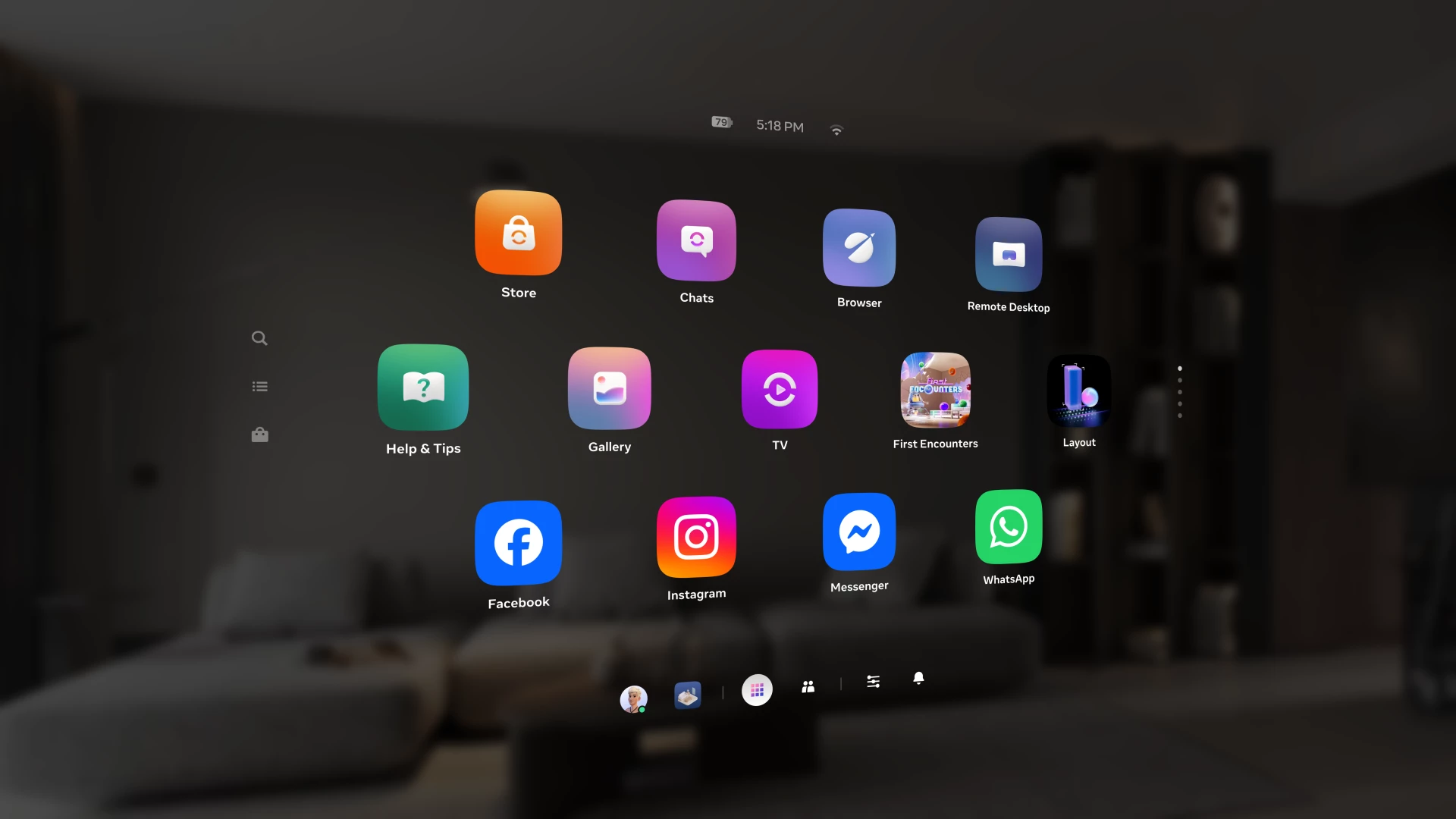
Over the past year, we've been building Navigator — a redesigned interface that brings your apps, people, and system controls together in one place. Since we first introduced Navigator, we've heard your feedback and continued to refine the experience. Navigator is now rolling out to all Meta Quest users.

Navigator is now the default navigation experience, replacing the previous Universal Menu to give you a faster, more streamlined way to access everything on your Quest. 

  • One Unified Interface: Press the Meta button to open Navigator. Your apps, settings, and people are all accessible from one place. 
  • Guided Walkthrough: The first time Navigator appears, an in-headset walkthrough will guide you through the new experience so you can get up to speed quickly.

Thank you to those of you who provided your valuable input as we worked to get Navigator ready for broad rollout. Visit the How to use Navigator on Meta Quest | Quest Help to learn more about Navigator, and let us know what you think in the comments.

    This topic has been closed for replies.

    309 replies

    Participant
    April 16, 2026

    Got all the updates and now finally 2.3 (headset set to receive all pre release as they come out)  Still no Navigator???

    Participant
    April 16, 2026

    Got it on my 3 devices last night - utterly attrocious. How do I revert?

    Honored Contributor
    April 16, 2026

    You can't. This question is already answered in the comments. 

    Participant
    April 16, 2026

    Ok, in that case how do I disable the passthrough darkening when opening the navigator? How do I fix the enormous delay that has been put into every interaction which was certainly not there before. How do I make icons show up for apps instead of randomly being grey empty boxes? how do I remove "get more apps" from the left side. how do I stop the store from opening every time I wake the headsets?

    Participant
    April 16, 2026

    Ever since this update my Quest 3 now constantly defaults to pass through after closing apps or games, even though I selected the immersive home environment. So I have to keep tapping my headset to get back to it. Kind of annoying. I wonder if there's a new setting I need to check now to prevent it from defaulting to pass through mode.

    Choleni
    Honored Contributor
    April 16, 2026

    Coolbrah​  That's weird.

    It does not do that to me. For me it's like this.

    When I start a game from the Loft, I get back to the Loft after closing the game.

    When I start a game from passthrough, I go back to passthrough after closing the game.

    Honored Contributor
    April 16, 2026

    If you want to change all those things, write to the Meta Quest development team. This is a user forum. We didn't design Navigator. We try to help people with issues related to headset use, connection problems, downloading problems, network errors etc. 

    Participant
    April 16, 2026

    Maccyb123​ I'm not sure if your post was a reply to me specifically, but I reported what I believe to be a bug that exists now (for me anyway) since the new Navigator UI went into effect. I'm not complaining about Navigator, just the bug I now seem to have since it downloaded to my headset. I was curious to see if anyone also experiences this now and if there might even be a user fix for it.

    Honored Contributor
    April 16, 2026

    Coolbrah No my friend it wasn't a reply to you. I replied to derekdavidkent  I  think he might have thought I was a Meta developer and was  asking me to change things on Navigator. But I'm just a user like you! 😁 For some reason though I replied to him specifically, it went to the general discussion.. 

    New Participant
    April 16, 2026

    I updated my meta 3 today, still not getting the navigator UI

    Up and Coming
    April 17, 2026

    Good for you. It's buggy.

    New Participant
    April 17, 2026

    what were you thinking with this update? There is NOT ONE positive aspect of this update. I don't know how much worse you could've possibly made the UI

    Participant
    April 18, 2026

    When will the old UI be back?

    Participant
    April 18, 2026

    We don't care about your interface!

    We want our classic interface back, like before!

    Participant
    April 18, 2026

    How many people must have told you that you're doing crap!

    Participant
    April 18, 2026

    Inutile de ce fatigué , l'ancienne version de l'interface était parfaite .

    Merci de bien vouloir faire une mise à jour et proposé les deux interfaces au choix et satisfaction des utilisateurs.