Developer Forum [Archived]
Recently active
I can hit play in Unity editor and Meta quest 2 works fine in developer mode, hit build and run and it says device not found, hit refresh and my device does not show up. Last week it was working fine, the device showed up in the build list. Now not sure if there was an Meta update recently but my creative side is getting depressed. Thank you in advance for helping a Dad who builds VR games.
I am trying to activate Developer and Debugging mode on a few Meta Quests to test ArborXR but i am running into a issue.A phone number or a credit card has to be used to activate it. Now the company i work for do not have a company credit card. So i have to use a phone number. After filling in the phone number I keep getting an error mesage saying (in dutch): This page is not avaible. This is because of a technical error for wich we are looking for a solution.Any ideas to fix this? Any workarounds?Thanks in advance.
bl.ck3.2023
I'd like to communicate to a Quest from a generic Blueotooth BLE device (such as Arduino, etc.). It was not possible with the Go. I believe the radio could see BLE advertisements but could not connect to generic devices using generic protocols. It can connect to some game controllers, presumably when they use BLE standards for game controllers. https://forums.oculusvr.com/developer/discussion/67316/arduino-to-bluetooth-interface@mconte, Oculus Developer Engineer, commented about Bluetooth in an AMA on May 3, but mentioned game controllers so I'm not sure if his comment was about generic BLE or only a restricted subset of BLE devices like the case with the Go.https://forums.oculusvr.com/developer/post/quote/75196/Comment_675391
Hi I want to use voice sdk to capture the person's voice and then translate it to text. I'm trying to use voice sdk in quest pro, i'm getting an error that dictator not initialised , when i try the build on windows it works fine. I have tried to follow the documentation as much as i can
Hello everyone,When I visit https://auth.meta.com/developer/verification/ to verify Admin account.There is a message board that says "Verify your identity for your organization".I press "Continue""Choose type of ID to upload " , then I choose "National ID card" , then submit.And the error message shows: "Sorry, something went wrong. We're sorry, but there's a technical problem with this feature. We're working to fix it."I tried many different types, but the same error message appeared.Thank you everyone for listening, hope to receive help
I see my game submission pass through review, but I can't seem to find the game, How can I can find him? The game name is "Task Force 9 Demo"
Hello everyone and nice to meet you all.The first thing to say is I'm very new to the VR field, so if there's already some similar discussion please kindly let me know. Thank you 🙂 I'm now developing a VR experience(either stand-alone or cable linked) with hand tracking mode on, which will need this exact gesture from Oculus default gesture of going back to the main page. I have been searching for ways to change or just inactivate the gesture but did not find anything yet. It will be very kind of you to share if you know how to change or delete the gesture.Thank you so much !!!! I am very appreciated!
I'm trying to get a file path with startActivityForResult and ACTION_OPEN_DOCUMENT.The file browser opens. When I select a file, the file browser closes, but the universal menu is still open. In my code onActivityResult is never called.Any idea why this is not working on the Quest 2? I already tried with enabling the WRITE_EXTERNAL_STORAGE permission. And I also tried ACTION_GET_CONTENT instead of ACTION_OPEN_DOCUMENT. @Override public void onCreate( Bundle savedInstanceState ) { ... Intent intent = new Intent(Intent.ACTION_OPEN_DOCUMENT); intent.setType("*/*"); startActivityForResult( intent, PICK_FILE_CODE ); } @Override public void onActivityResult( int requestCode, int resultCode, Intent data ) { // never gets called }
Hi All, When update my oculus integration from v28 to the latest 49.0, I have a series of errors about OVRControllerUtility as below I am not able to resolve, any ideas? Assets\Oculus\Interaction\Runtime\Scripts\Input\OVRIntegration\AnimatedHandOVR.cs(92,31): error CS0103: The name 'OVRControllerUtility' does not exist in the current contextAssets\Oculus\Interaction\Runtime\Scripts\Input\OVRIntegration\AnimatedHandOVR.cs(93,32): error CS0103: The name 'OVRControllerUtility' does not exist in the current contextAssets\Oculus\Interaction\Runtime\Scripts\Input\OVRIntegration\AnimatedHandOVR.cs(123,33): error CS0103: The name 'OVRControllerUtility' does not exist in the current contextAssets\Oculus\Interaction\Runtime\Scripts\Input\OVRIntegration\FromOVRControllerHandDataSource.cs(216,33): error CS0103: The name 'OVRControllerUtility' does not exist in the current context
Another day another bad experience with Meta Quest Pro / Unreal EngineI am using Ubuntu and Unreal Engine 5.1.1I downloaded the latest version (54.0) of the Meta XR PluginI put it in the Plugins/Marketplace folder.It does not show up in the project settings.What am I doing wrong?General Feedback:- Why is the Plugin Version called 54.0?- Why does it say in the plugins list its 1.86.0?- Why is the documentation so outdated?- When is the plugin version for 5.2 coming out?
I am creating an application where I have the functionality to capture images and videos. The images and videos are stored inside the application. I want the users to post the images and videos to social media platforms. Is there a way or SDK to integrate Instagram and Facebook within the application?
I activated application spacewarp on unity with Quest 2.Works great. Except, that i get quite some ghosting, when objects move around.OVR tools shows 36 FPS with AppSW activated, which should mean 72 FPS including the interpolated images.Without AppSW, everything runs smooth without ghosting and OVR-Tools shows 72 FPS.Are there any setting to avoid or reduce this effect?The Unity Version is 2021.3.26f1.
my number is on my Facebook and when I try to get a code to verify it. it doesn't send it but that shouldn't be a problem since I put the google AUTH app on my account and verified it but even after that it still says to verify my dev account. before this problem I already made a organization and verified my account it let have Dev mode activated but then I factory reset and it wouldn't let me turn Dev mode back on.
I'm getting an error when trying to submit the Oculus Start application form: [code]MessageGraphQL server responded with error 1675030: Error performing query.Error Code1675030Trace IDB1+6zT/29Rl[/code] Is there anyone we can contact for help?
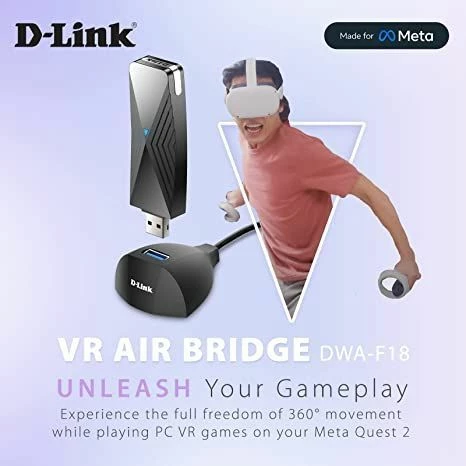
Meta promotes the D-Link Air Bridge as a perfect PC to Quest solution but fails to support the newer Quest Pro headset. The community would appreciate some guidance as to when Meta anticipates support as neither D-Link nor Meta Customer Support provide transparency.
The App Lab app has today deleted itself from Quest 2 headsets!!We are a VR game studios and 1/2 of our VR studio team have been affected by this in the last hour and seems to be increasing across the team / who can I contact?In the middle of important game dev work with a deadline ahead so this is an urgent issue. Anyone else had this problem or shed any light?
The verification process for our organisation Robosaru Games is still in progress, but it seems from July 1st both our games (Reflext Unit 2 and Roll-A-Mech) have been completely removed from AppLab! Our understanding that new updates could not be published, but not that the games would be deleted... this is really harsh.
The specific utterances that I trained with Wit.ai don't seem to matter. I can say anything and get the method to execute. Did I set up the Value Matchers incorrectly under the Response Matcher script? Or is this a setup issue in Wit.ai? Has anyone else had this issue? I feel like I've exhausted all my approaches and wonder where to focus.
Everything is alright yesterday.Today I found that the unknown source in Quest is disappear and I cannot connect my Quest via ADB.Also the developer mode setting is not found in Oculus App.What happened?
Hi there,I developed a game with Unreal 4 (VRPC) connected with the link.The game closes automatically when I remove the headset from my face. Do you know how to solve this problem ?How can I force the headset to stay on when the game is running ?Thanks in advance.Matthiew
Hey everyone. I am working on creating a demo in Unity where I use the position of the Oculus Controller to figure out where something is. However, the controller needs to be mounted in a constant position (not held in hand). The problem I am having is that when I set the controller down, it goes to sleep and I lose the tracked position. How can I keep the controller on even though the user is not holding it?
Hi guys,i want to publish my game on App Lab but i have to verify miself before doing it,i am trying to do it via admin verification but when i have to choose the document there is an error saying that the they are having errors with this service.What can i do?
2-factor authentication will not work for some reason. Used an authenticator app and was not verified. Tried giving my phone number but never received a code to input. Please help, thanks.
Hey Everyone,Hope you're all doing great! I'm Adrian from Veris Behavior, and we want to work with the Oculus Quest Pro on a complex Unity application. Our app involves rendering many objects with intricate meshes, and we need to use eye-tracking to get accurate gaze data.We've been using a PC to run the app due to limitations with standalone VR headsets. However, when we reached out to Oculus Support, they told us eye-tracking isn't available for PC VR applications on the Quest Pro. But here's the twist: the Oculus application has a toggle to activate it, and there are some videos from a Unity developer showing it in action too!Since Oculus Support directed us here for a better understanding, we're hoping you lovely folks could help us out:Anyone else running eye-tracking while using a PC VR app on the Quest Pro?Any tips on setting this up properly (XRI, Oculus Integration, other)?Any specific settings, updates, or tweaks we need to be aware ?We're excited to learn from you all and to
Already have an account? Login
Enter your E-mail address. We'll send you an e-mail with instructions to reset your password.